
How to Create and Sell Online Courses from Scratch
.webp)
Wanna share what you know and get paid for it? Creating an online course might be your answer. You don't need a fancy degree or thousands of followers. You just teach something you're good at and people pay to learn from you.
I like online courses because they're straightforward. No physical products to ship. No constant client calls. You create it one time and continue selling it to new students again and again.
The best part is that it's a passive income model once you have everything set. People are ready to buy courses on topics you probably know well. It may be cooking, fitness, photography, finance, or even organizing your home, something that genuinely helps people solve a problem or learn a new skill.
Key Takeaways
- Learn what online courses are and why they're worth creating.
- Find out how to pick a topic people actually want to pay for.
- Choose the right platform to host and sell your course.
- Get a simple step-by-step plan from creation to your first sale.
- Avoid mistakes that make beginners quit early.
What Are Online Courses and Why Create One?
An online course is just lessons you put together to teach people something specific you know. Could be how to use Excel, train a dog, manage personal finance, or grow vegetables in small spaces.
People create online courses for a few simple reasons.
- You create them once and keep selling without rebuilding.
- They're digital products that sell on autopilot with zero inventory.
- You actually help people solve problems they're struggling with.
- You position yourself as someone who knows their stuff in your field.
- You stop trading time for money and start earning while you sleep.
If you're already answering the same questions repeatedly from friends or clients, you're sitting on course material. Instead of explaining it for free every time, package it once and let it work for you.
The money potential is real too. Course creators charge anywhere from $50 to $2,000 per course. It depends on the topic and depth. Some even build six-figure businesses from a single successful course.
Types of Online Courses You Can Create
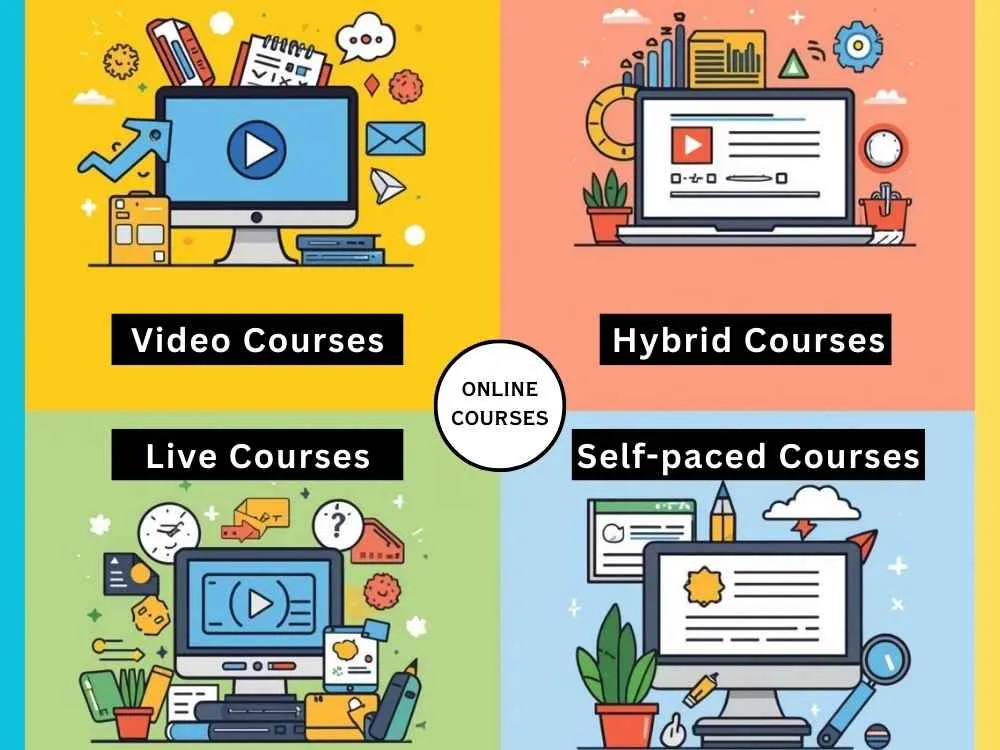
A) Video Courses
Most courses today use video. You record your lessons once and students watch whenever they want.
They work well for:
- Showing how software works
- Walking through processes step by step
- Teaching anything visual or hands-on
- Cooking, design, fitness, or crafts
Don't stress about fancy gear. A decent microphone and simple screen recording software get you started.
B) Text-Based and Hybrid Courses
Some courses use mostly written lessons with PDFs and worksheets. Hybrid courses mix videos with written guides and templates.
Go this route if you like writing or if your topic works well with checklists. Plus, a lot of students prefer having written stuff they can reference quickly without rewatching videos.
C) Live vs Self-Paced Courses
- Live courses happen on a schedule with real-time sessions. Self-paced courses let people start whenever.
- Live courses build better connections and keep students accountable. Self-paced courses make you more money long-term because they run automatically.
- Most beginners start with self-paced learning since you're not locked into a teaching schedule.
Best Platforms to Host and Sell Your Course
Picking the right platform matters a lot. You don't want to build your whole course and then realize the platform doesn't do what you need.
A quick comparison of platforms:
| Platform | Pricing (Yearly Pay) | Ease of Use | Built-In Traffic | Control | Best For |
|---|---|---|---|---|---|
| Teachable | Starting at $29/month + 7.5% transaction fee | Very easy | No | Good | Beginners |
| Thinkific | Starting at $36/month | Easy | No | High | Growing creators |
| Kajabi | Starting at $143/month | Very easy | No | Very high | Established creators |
| Udemy | Free, revenue share per sale | Very easy | Yes | Very limited | Quick exposure |
| Skillshare | Joining is free. You get paid for watch time | Easy | Yes | Limited | Creative courses |
| Podia | Starting at $33/month + 5% transaction fee | Very easy | No | Good | Simple all-in-one |
| Gumroad | No monthly fee. Transaction fees only. A 10% flat fee on every sale | Very easy | No | Limited | Fast launches |
| Your website | Hosting + plugins, which cost around $50-$100/year (varies) | Medium | No | Full | Advanced users |
What each platform actually offers:
- Platforms like Teachable, Thinkific, and Kajabi give you more control over branding and pricing. You handle your own marketing but keep your students.
- Udemy and Skillshare bring built-in traffic, which sounds great. But they control pricing and take big cuts. Remember you're renting their audience, not building your own.
- Podia and Gumroad work well if you want something simple without monthly commitments.
- Your own website gives total control to you but needs more technical skills.
My advice: Start with Teachable or Thinkific if you're new. Avoid Udemy unless you just want quick validation and don't care about building your own audience.
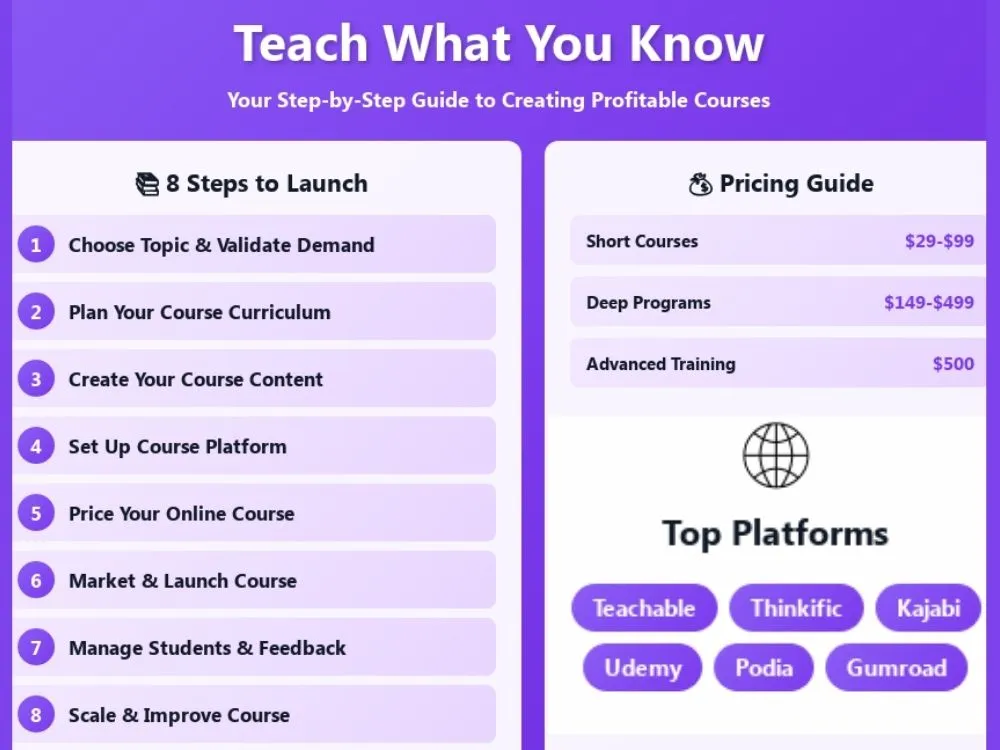
Step 1: Choose Your Course Topic and Validate Demand
Start with what you already know. What do people keep asking you about? What problems do you solve for others?
Good course topics usually:
- Fix a specific problem people actually have.
- Save them time, money, or frustration.
- Get them the clear result they want.
- Focus on one thing instead of trying to cover everything.
Don't build the course yet. Validate your idea first.
Here's how:
- Ask your audience whether they'd pay for it.
- Post your idea in FB groups or Reddit communities where your audience actually hangs out.
- Run a quick survey (Google Forms works fine).
- Host a free live workshop and see who shows up.
- Check if similar courses already exist and sell well (that's actually a good sign).
If multiple people say they'd pay for help with this topic, you're onto something. If crickets? Pick a different angle or topic. The goal isn't to guess. It's to know before you spend weeks creating something nobody wants.
Step 2: Plan Your Course Curriculum
Your course should make an impact where your students get to a clear point. Start by writing down the exact outcome you want them to achieve.
Then break that outcome into simple steps. Each step becomes a lesson or module. Say your course teaches how to start a podcast. Your outcome is that students launch their first episode successfully. The steps could be:
- Pick a topic and format.
- Get basic recording equipment.
- Record your first episode.
- Edit the audio.
- Publish on podcast platforms.
Keep each lesson focused. One lesson should cover one topic only. Short lessons also help people actually finish. Most students quit courses because they feel too overwhelming.
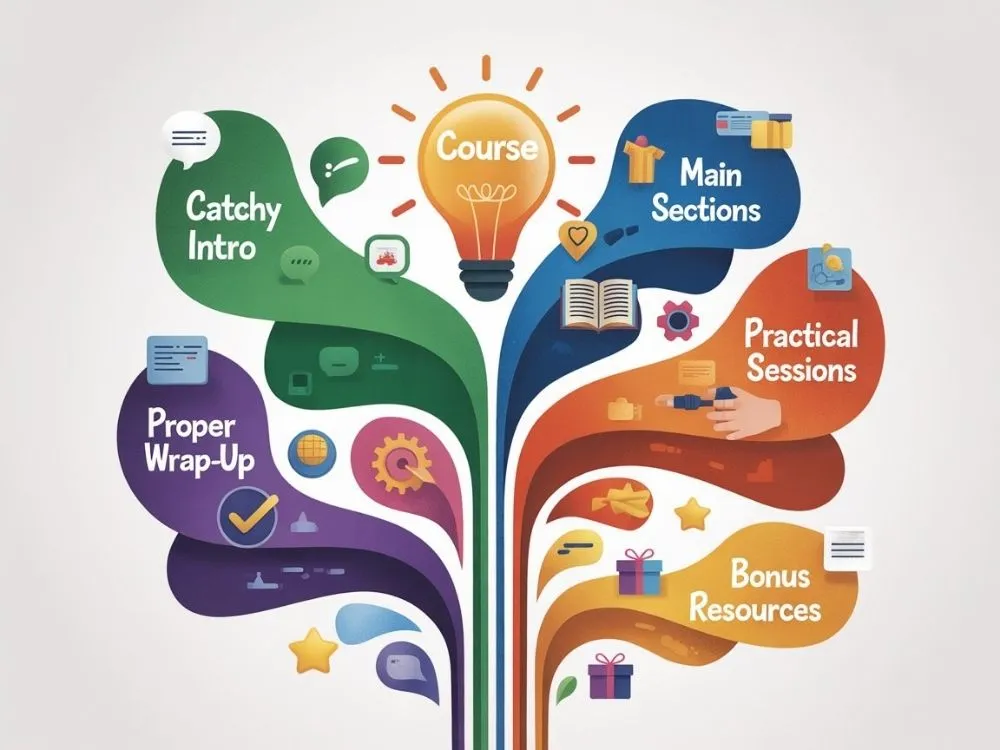
Simple structure that works:
- Intro covers what they'll learn and why it matters.
- 3-5 main sections about the core steps to get results.
- Wrap up of the next steps or bonus resources.
Step 3: Create Your Course Content
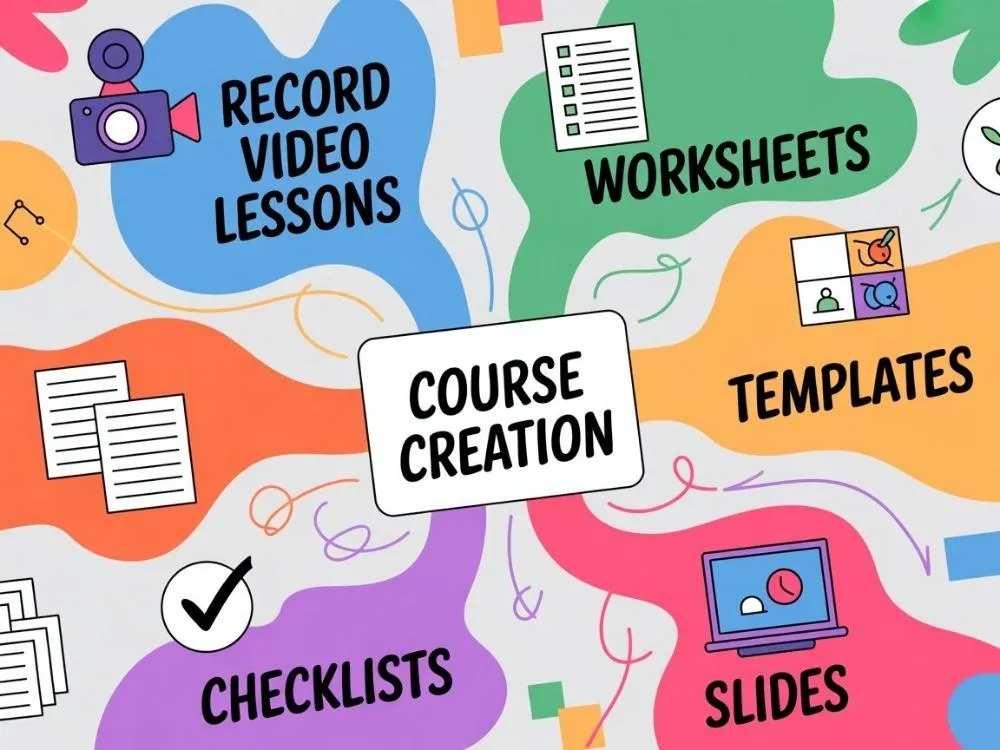
A) Recording Video Lessons
Record in a quiet room and keep your setup simple. Use screen recording for tutorials and your camera for personal lessons.
Focus on explaining things clearly. Don't worry about sounding perfect or professional. Small mistakes are fine. Students care way more about understanding the topic than polished production.
B) Creating Course Materials
Support your lessons with:
- Worksheets to fill out as they go.
- Checklists so they don't miss steps.
- Templates they can copy and customize.
- Slides or notes they can reference later.
These materials help people take action instead of just passively watching videos. A simple PDF checklist often gets more use than a fancy video. You don't need to design anything complicated. A Google Doc or Canva template works perfectly fine.
Step 4: Set Up Your Course Platform
Upload your course lessons to whatever platform you prefer. Organize them in a sensible order. Then go through it yourself as a student would.
Check these basics:
- Do videos play smoothly without buffering issues?
- Does everything work on mobile phones and tablets?
- Does the payment process actually work?
- Can students log in and access their course easily?
- Are downloadable materials showing up correctly?
Walk through your entire course from start to finish. Click every button. Download every file and watch a few videos all the way through.
You'll catch broken links, missing files, or confusing navigation before your first student does. Way better to find problems now than get support emails later.
Step 5: Price Your Online Course
There's no random number. Your price depends on what problem you solve and who you're selling to. Here's what most courses charge:
- Short practical courses usually sell between $29 and $99.
- Deeper programs often sell for $149 to $499.
- Advanced training and coaching programs can go much higher.
Price based on the result, not the number of videos. A course that helps someone generate income is worth more than one that teaches a hobby skill, even if the hobby course has more content.
Just start somewhere reasonable and adjust later. Don't make it a burden to your audience. Price it fairly so everyone can benefit from it, including your business.
Step 6: Market and Launch Your Course
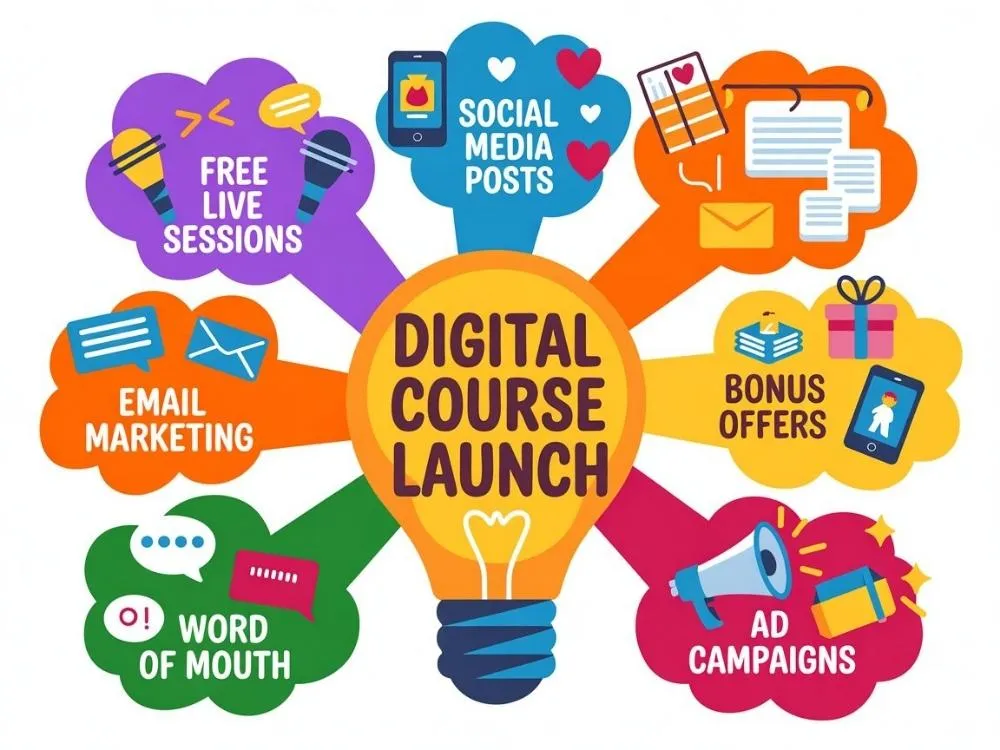
Don't wait until you finish the course to start talking about it. Share what you are building on social media early on. Post tips related to your topic and collect email signups.
What works for a simple launch:
- Do a free live session to teach something helpful.
- Send a few emails when you're ready to sell.
- Post on social media where your people hang out.
- Add a bonus that goes away after a few days.
You can also just tell people directly. Text old clients and post in groups. Ask someone with an audience if they'll share it.
Getting your first 5 students is honestly a win. They'll tell you what works and what doesn't. That feedback makes your course better and you can scale from there.
Step 7: Manage Students and Gather Feedback
This step is crucial once people start buying your course. Focus on helping them succeed by answering their questions quickly. Add a lesson or FAQ if you see the same questions repeatedly.
Starting a Facebook group or forum also helps where students can exchange thoughts. This only makes sense if you have enough students though. Don't stress about it at first.
Ask for testimonials once students finish or get results. These are gold for selling your course later. Pay attention to where students get stuck. If multiple people struggle with the same lesson, redo it or make it clearer.
Update your course when things change. If a tool you teach gets updated or doesn't work the same way anymore, record a quick update video.
Step 8: Scale and Improve Your Course

You can grow your course in many ways once it gets consistent sales.
You can:
- Create beginner and advanced versions.
- Build a full course library.
- Set up evergreen sales funnels.
- Launch an affiliate program.
- Increase your price as you add value.
- Add memberships or coaching for recurring revenue.
Scaling works best when your original course already delivers real results. Don't jump into all of this right away. Pick one thing that makes sense for where you are.
Common Online Course Mistakes to Avoid
Many creators spend months recording before checking if anyone wants the course. That's one of the biggest mistakes. Here are other mistakes to watch out for:
- Trying to teach too much in one course.
- Overloading lessons with theory.
- Ignoring student questions.
- Not collecting feedback.
- Relying only on one traffic source.
A simple, focused course with real outcomes performs better than a large complicated one.
Wrapping Up
Creating and selling online courses is a fantastic option to turn your knowledge into a real online business. Start small and validate your idea. Genuinely help your students succeed and improve your course over time. Your first course will teach you far more than any tutorial ever could.
FAQs
Q1: How long does it take to create a course?
It depends on the work you put in. If you really want it live soon, you can finish it in a month or two. But don't strain yourself too hard because quality matters more than speed.
Q2: Can I create a course without showing my face?
Yes. Use screen recording and voiceovers. Many successful courses never show the creator on camera. Focus on teaching well, not your appearance.
Q3: How do I get my first students?
Tell people directly. Email your contacts, post in groups, and ask past clients. Your first 5 to 10 students usually come from people who already know you.
Explore Related Posts
https://smarttoolsai.com/post/how-to-start-affiliate-marketing-and-make-money