How to Start Selling Digital Products and Make Money
.webp)
Selling digital products is a fantastic option for anyone looking to make money online. No hassle of dealing with shipping, inventory, or suppliers. You create something once and sell it passively even while you sleep. That alone makes them very attractive for beginners.
I personally like digital products because the setup feels lighter. No packaging or no delivery stress. No waiting for suppliers. Just create, upload, and focus on marketing.
This guide shows you what digital products really are, which types sell well, where to sell them, and how to build a simple system that actually makes money over time.
Key Takeaways
- Learn what digital products are and why they're easier than physical products.
- Find out which types of products sell well and are simple to create.
- Pick the right platform based on your product and skill level.
- Choose a profitable niche that solves real problems people are searching for.
- Avoid common beginner mistakes that waste time and impact motivation.
What Are Digital Products and Why Sell Them?
These are intangible products you can download online instead of holding in your hands like physical products. Think of ebooks, printable planners, design templates, stock photos, or anything similar. People get instant access to download the file when they buy from you.
Why do so many people love selling digital products?
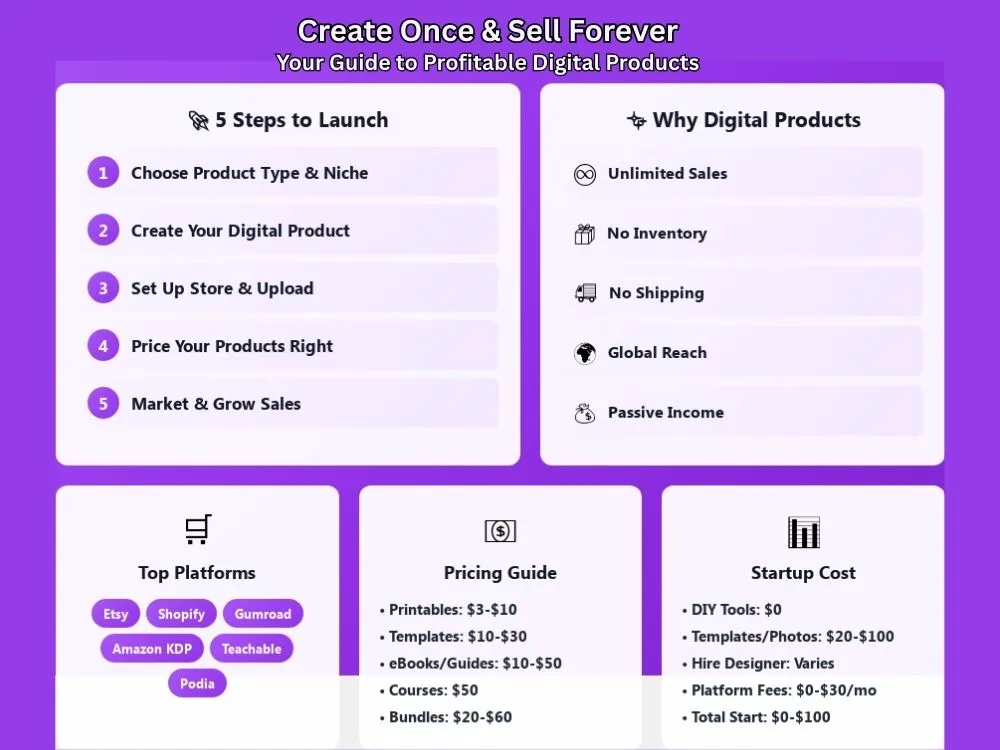
- You create the product once that can be sold unlimited times.
- No inventory to store or manage.
- No shipping costs or packaging headaches.
- You can reach customers anywhere in the world.
- Your income isn't tied means not like a usual 9-5.
Most of the work shifts to marketing and improving your offers once you create a good product.
Types of Digital Products You Can Sell
There are many kinds of digital products. Some are easier to create than others. So you should start with something you can finish.
Popular Examples:
| Digital Product Type | Examples | Difficulty Level |
|---|---|---|
| Printables | Planners, worksheets, wall art, calendars | Easy |
| Templates | Canva templates, Notion dashboards, Excel spreadsheets, resume templates | Easy to Medium |
| Ebooks and Guides | How-to guides, workbooks, recipe books | Medium |
| Online Courses | Video lessons, tutorials, membership content | Hard |
| Presets and Filters | Lightroom presets, photo filters | Medium |
| Digital Art and Graphics | Icons, illustrations, clip art, stickers | Medium |
| Fonts and Design Assets | Custom fonts, patterns, textures | Hard |
| Stock Photos | Lifestyle photos, backgrounds, business imagery | Medium |
| Checklists and Trackers | Budget trackers, habit logs, business planners | Easy |
| Music and Audio | Background music, sound effects, meditation tracks | Hard |
Start simple. If you're new to this, printables and templates are your best bet. They're quick to create and people buy them all the time.
Best Platforms to Sell Digital Products
You actually need a place to sell your products. The best thing is that you can find plenty of platforms to choose from, where each platform comes with its own strengths.
Let's see the most popular options:
- Etsy is best for printables, templates, and planners.
- Gumroad is quick to set up for simple sales.
- Creative Market works well for design assets and templates.
- Shopify to build your own branded store.
- Teachable for online courses and video content.
- Payhip is a simple store for downloads and memberships.
- Amazon KDP is awesome for self-publishing eBooks.
- Podia for courses, downloads, and memberships.
- Sellfy is good for digital products and subscriptions.
- Lemon Squeezy for software and digital files.
- Your own website works for full control over branding and pricing.
Platform Comparison
| Platform | Best for | Fees | Traffic | Ease of use |
|---|---|---|---|---|
| Etsy | Printables and planners | Listing + transaction | High | Very easy |
| Shopify | Full brand store | Monthly + payment fees | None | Medium |
| Gumroad | Simple downloads | Per sale fee | Medium | Very easy |
| Creative Market | Design assets | Revenue share | High | Medium |
| Teachable | Courses | Monthly + transaction | Low | Easy |
| Amazon KDP | Ebooks | Royalty based | High | Easy |
| Sellfy | Digital shops | Monthly | Low | Easy |
| Podia | Courses and downloads | Monthly | Low | Easy |
| Payhip | Downloads and memberships | Low transaction | Medium | Easy |
| Lemon Squeezy | Software and files | Per sale fee | Medium | Easy |
| Your own site | Any product | Hosting + payment | None | Medium |
Start with one platform. Don't spread yourself too thin. Pick the one that's relevant to your product type and skill level. You can always expand to other platforms once you gain traction.
Step 1: Choose Your Digital Product Type and Niche
This is the vital first step where you should avoid chasing trends and start by asking what problem you can actually solve for people.
Good niches usually have:
- A clear pain point
- A group of people actively searching for help
- A reason to buy now instead of later
Examples include:
- Busy parents who need meal planners and chore charts.
- Small business owners looking for invoice or social media templates.
- Students preparing for exams who want study guides.
- Content creators needing Canva templates or caption ideas.
- Wedding planners searching for timelines and checklists.
- Freelancers who want contract templates or pricing guides.
Keep it focused. Pick one type of buyer and one type of product when you're starting out. You can branch out once you understand what works.
Step 2: Create Your Digital Product

A) DIY Creation Tools
You can create most digital products with simple tools like:
- Canva for printables and templates
- Google Docs or Word for guides
- Notion and Excel for trackers
- Lightroom for presets
- Screen recording tools for courses
You don’t need fancy software to start. Start simply with what you already know. You can always upgrade your tools later.
B) Outsourcing Creation
You can hire freelancers if you don't like the design or writing part. Find them on freelancing platforms like Fiverr, Upwork, Freelancers or 99designs. Ensure you get full commercial rights and ownership of the created digital files. Plus, review the work carefully before selling it.
Step 3: Set Up Your Store and Upload Products
This is another vital step. Focus on the essentials that help people buy with confidence.
What every product listing needs:
- Clear product title - Be specific about what it is (Ex, Monthly Budget Planner Template for Excel).
- Simple description - Explain what it does in plain language.
- The problem it solves - Why someone needs this right now.
- What's included - List the files, formats, and number of pages.
- How delivery works - Let them know it's an instant download.
Add preview images or sample pages. Buyers want to see what they are really getting before they pay. Make sure everything works correctly such as the download links or instructions, before promoting your product.
Step 4: Price Your Digital Products
Don't underprice just because it's digital. Your product has real value.
Price based on:
- The result it delivers like what outcome does the buyer get?
- Time saved means how many hours of work does it replace?
- Complexity and depth like how comprehensive is your product?
- Research similar products in your niche and find what competitors charge.
Simple pricing examples:
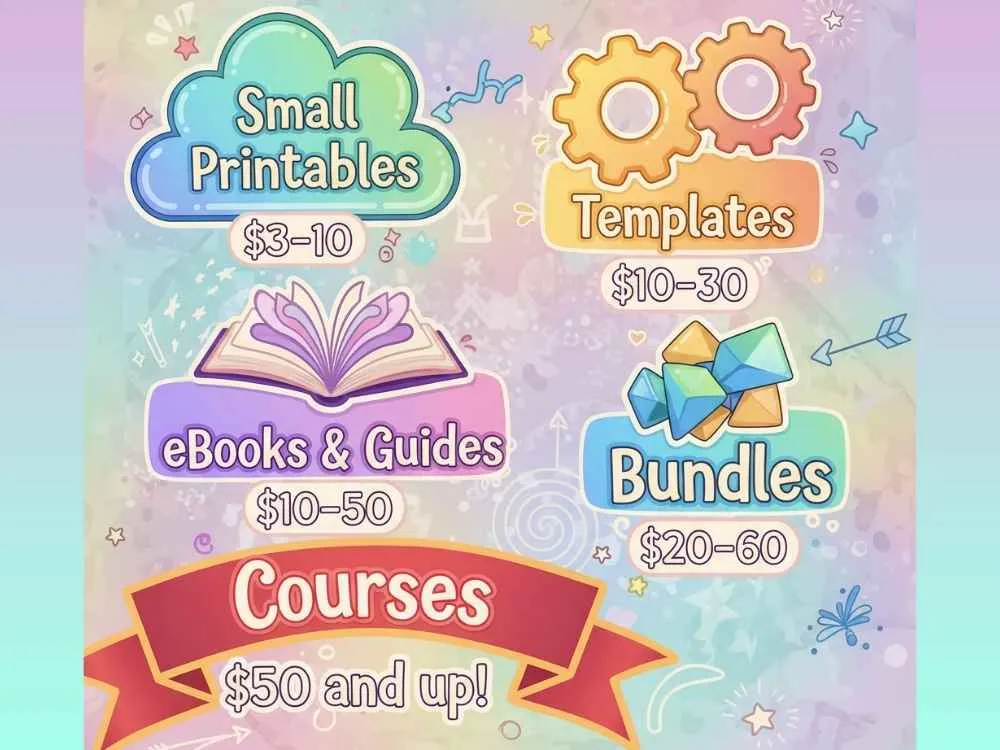
- Small printables for $3 to $10
- Templates for $10 to $30
- eBooks & Guides for $10 to $50
- Courses for $50 and up
- Bundles for $20 to $60
Start somewhere and adjust. Your price may be too low if your product sells very quickly. If no one's buying after good traffic, consider lowering the price or improving your marketing.
Step 5: Market Your Digital Products
You may've made a great product but that doesn't mean you'll immediately get sales. You have to pay adequate attention to product marketing, which actually brings in sales.
For marketplace platforms (Etsy, Gumroad, etc):
- Use good keywords in your titles and descriptions.
- Add relevant tags for the search terms.
- Upload better preview images that showcase your product.
- Regularly update your listings which helps stay visible in search results.
- Check what other successful sellers in your niche are doing.
For your own website:
- Put short videos on TikTok and Instagram.
- Write helpful blog posts.
- Offer free downloads to grow your email list.
- Target simple ads once you understand your audience.
Common Digital Product Mistakes to Avoid
Beginners spend weeks creating a product without checking if anyone wants it. Some common mistakes you should avoid:
- Creating without testing demand first.
- Trying to sell too many product types at the same time.
- Targeting everyone instead of a specific group of buyers.
- Using blurry images or not showing what's inside the product.
- Ignoring SEO and keywords on marketplace platforms.
- Not collecting customer emails for future sales.
- Giving up after a few weeks when sales don't come instantly.
Start with one product. Test it with real people. Get feedback and make improvements. Then create your next product based on what you learned. You don't need many products at once. Stick with one solid digital product that solves a real problem and scale from there.
Wrapping Up
Selling digital products is a good passive income model. You can do this as a side hustle or continue as full time when you start making sufficient income out of it. However, it takes effort to create something valuable and figure out who needs it. Start small and learn from your first product. Build from there and your first sale will prove it's possible.
FAQs
Q1: What's the best platform for beginners?
Etsy and Gumroad are beginner-friendly platforms. Etsy has built-in traffic that helps people find your products from organic searches, where they get millions of visitors. However, don't limit yourself to a single platform if you want to make quick sales and money.
Q2: Do I need to pay taxes on digital product sales?
Digital product sales count as income so you should pay taxes. In most of the marketplaces, you are asked to fill out the tax information.
Q3: How much do I need to start selling digital products?
You need zero dollars if you create everything yourself using tools like Canva or Google Docs. Most people spend around $20 to $100 if they buy templates or stock photos. If you hire a designer or writer, it costs more depending on what you need.
Explore Related Posts
https://smarttoolsai.com/post/how-to-start-a-print-on-demand-business