
How to Become a Social Media Manager and Make Money
.webp)
Are you spending hours on social media anyway? Why not turn that into income? Becoming a social media manager is simpler than you think. You help businesses handle their online presence.
That first payment makes it all real. You're not just scrolling anymore. You're actually making money doing something you're good at.
This guide shows you exactly how to become a social media manager and start making money. No confusing stuff or weird terms. Just real steps that work.
Key Takeaways
- Understand what social media managers do and how they make money.
- Learn which services you can offer and how to price them.
- See how to build a portfolio even if you're starting from zero.
- Find out which tools make managing clients easier.
- Know where to find your first clients and how to reach out.
- Discover how to deliver results and avoid common mistakes that trip up most beginners.
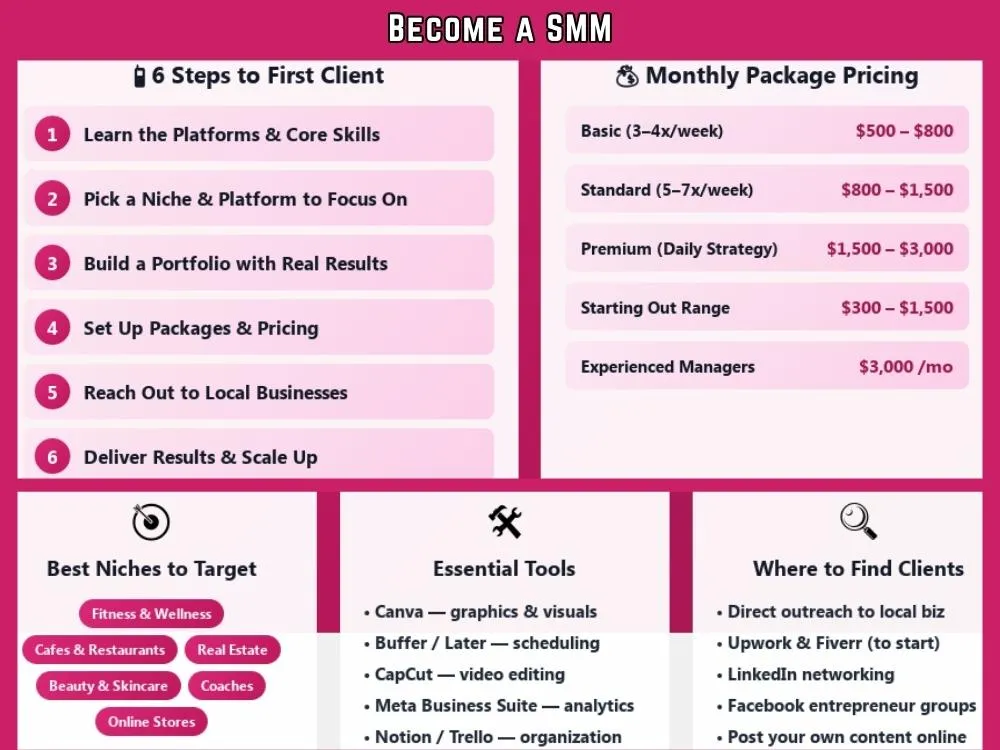
What is a Social Media Manager and What Do They Do?
They handle social media accounts for businesses or personal brands. Instead of business owners posting randomly whenever they remember, you plan and manage everything for them.
Your typical tasks include:
- Creating posts and writing captions
- Making simple graphics or short videos
- Scheduling posts for the entire week
- Handling comments and direct messages
- Engaging with followers
- Checking what's working through analytics
The main goal is simple. Help businesses grow their audience and stay active online. Each platform works differently.
Most clients want help with Instagram since it works for nearly every business. Facebook still matters for business pages and local communities.
TikTok keeps growing thanks to short videos. LinkedIn is ideal for professional services and B2B companies. Twitter (now X) handles quick updates and customer questions.
Services You Can Offer as a Social Media Manager
Every client needs something different. Some just want help posting regularly. Others want you to handle their entire social media presence. Here's what you can offer:
Note: Monthly rates are based on research data and not actual figures. Your rate and income potential may depend entirely on your skill level and other vital factors.
| Service | What You Actually Do | Average Monthly Rate | Skill Level |
|---|---|---|---|
| Content Creation |
| $500 - $2,000 | Beginner to Intermediate |
| Content Scheduling |
| $300 - $800 | Beginner |
| Community Management |
| $200 - $800 | Beginner |
| Social Media Strategy |
| $500 - $2,000+ | Intermediate |
| Analytics & Reporting |
| $200 - $500 | Beginner |
| Paid Advertising |
| $500 - $3,000+ | Advanced |
Most people don't sell these separately. You pick a few services and bundle them into one monthly package. Now let’s see how you can become a social media manager step-by-step.
Step 1: Develop Your Social Media Skills
Before working with clients, you should understand how social platforms work.
The most important skills include:
- Creating captions that grab attention
- Making basic graphics with Canva
- Understanding how each platform works differently
- Responding to followers without sounding like a robot
- Reading basic analytics to see what's working
You don't need a degree for any of this. Most people learn from YouTube videos, blogs, communities, forums, and online courses.
Create content and experiment with posts. Study what gets attention. Social media changes constantly, so staying curious helps a lot.
Step 2: Choose Your Platforms and Niche

Working on every type of niche makes things terrible. So you must pick a niche that resonates well.
Common niches include:
- Fitness and wellness
- Beauty and skincare
- Cafes and restaurants
- Real estate agents
- Coaches and consultants
- Online stores
- Local service businesses
Sticking to one niche helps you understand what that audience actually wants. Your content gets better because you're not starting from scratch every time.
Some managers only do Instagram. Others focus on TikTok or LinkedIn. When you become known for one thing, you can charge more because you're the expert.
Step 3: Build Your Portfolio
Clients want to see proof that you know what you’re doing. Starting with nothing? You can still create a portfolio.
A) Managing Your Own Accounts
Start with your own social media. Pick Instagram or FB and actually grow it. Track your engagement and what posts do well. Capture your growth with screenshots. Those results become your first examples to show clients.
B) Free or Discounted Work
You can also help with small business marketing for a short time.
Examples:
- Small local shops like cafes or boutiques
- Nonprofits needing social help
- Friends who run their businesses
Do the work for free or cheap in exchange for a testimonial and permission to show the results. Just make sure you actually deliver good work so the testimonial means something.
C) Create Sample Work
You can also make mock content. Design sample posts or build a content calendar for a fake client. It's not as strong as real results, but it's better than nothing when you're starting out.
Step 4: Set Up Your Business and Pricing
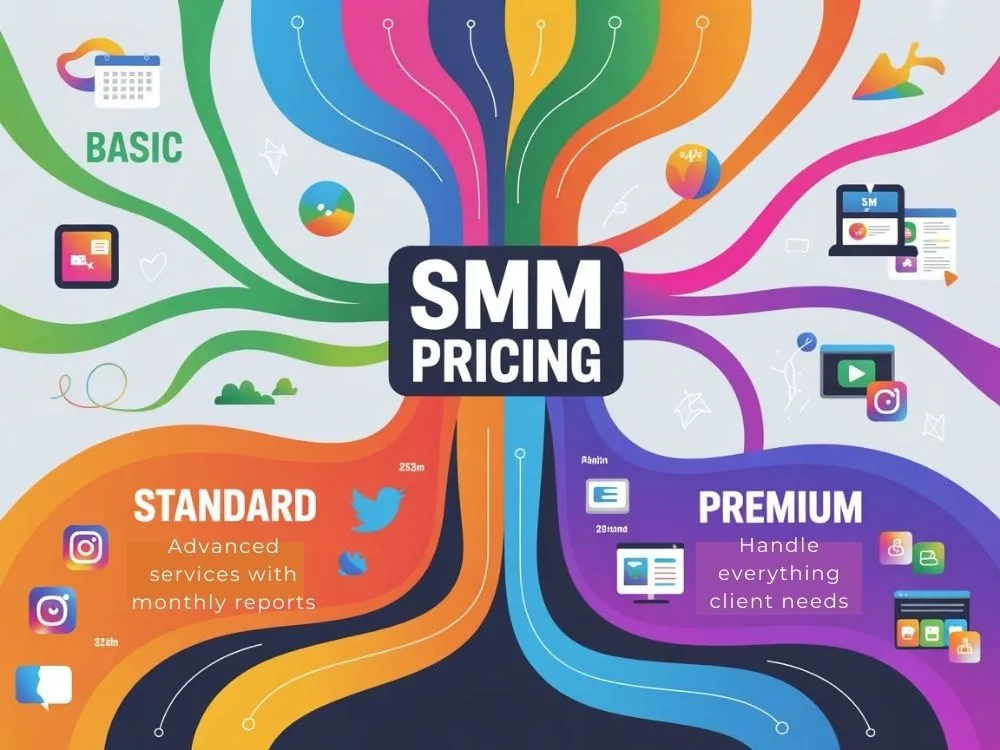
You can either charge for hours or choose monthly packages. Both work but many social media managers prefer monthly pricing since it involves fewer headaches.
How to structure your packages:
- Basic Package ($500 - $800/month): Post 3 to 4 times a week. You handle the captions, graphics, and scheduling.
- Standard Package ($800 - $1,500/month): You post 5 to 7 times a week. Make visuals and respond to people who comment. Send monthly reports showing what's working.
- Premium Package ($1,500 - $3,000+/month): You post daily, plan the whole strategy, manage multiple platforms, and handle everything they need.
When you're starting out, charge on the lower end. Raise your prices as you get better and have results to show.
Some people also do hourly consulting, charge per platform, or offer one-time strategy sessions. But monthly packages are the easiest way to make consistent money.
Step 5: Get the Right Tools
Doing everything manually is hard. You need a few tools to make your job quick and simple.
- Scheduling Tools: Post everything in advance instead of logging in five times a day. Later, Buffer, Hootsuite, Meta Business Suite, and Metricool all work.
- Design Tools: Create graphics that actually look good. Most people use Canva Basic or Pro. You could also try Adobe Express.
- Video Editing Tools: Edit quick videos right on your phone. CapCut and InShot are super easy to pick up. Adobe Premiere Rush has more options if you want to get fancy.
- Analytics Tools: Figure out what posts are doing well. Instagram and Facebook have free analytics built in. If your client has a website, Google Analytics shows traffic from social media.
- Organization Tools: Track what you need to post and when. People use Trello, Asana, or Notion a lot. Or just stick with Google Drive if you like keeping it simple.
Step 6: Find Your First Clients
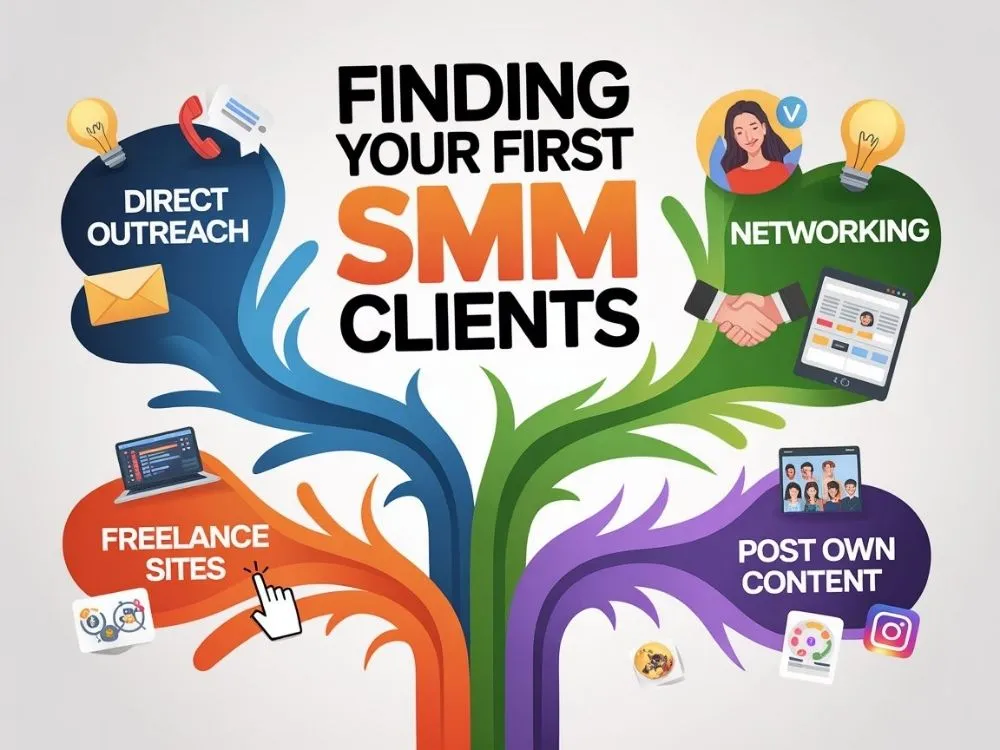
This could be the hardest part at first. However, you can do it by following these things.
- Reach Out Directly: Look for local businesses with barely any active social media. Message them with a simple observation and a few tips. Offer to help if they reply.
- Try Freelance Sites: These freelance platforms like Upwork and Fiverr aren't perfect. However, they work when you're new. You can charge less at first to get experience and reviews. This helps you land better clients later.
- Network in Real Life: Go to local events. Join Facebook groups for entrepreneurs. Message business owners on LinkedIn. Have actual conversations. You'd be surprised how often it leads somewhere.
- Post Your Own Content: Share social media tips on your accounts. Show examples of your work. When people see you actually know this stuff, they'll come to you.
The first client takes the longest. After that, it gets way easier.
Step 7: Deliver Results and Scale Your Business
This step matters more than anything once you land clients. Here's how most people run things:
- Kickoff call with the client
- Build a content plan for the month
- Get approval for posts
- Schedule content in advance
- Watch how people interact with posts
- Share monthly updates with clients
Show clients the numbers that matter like follower growth, how many people engage with posts, reach, and if social media is sending traffic to their website.
As you get better at this, raise your prices. Add more clients to your roster. Some people eventually hire help and turn it into a small agency with designers and writers working for them. Begin with just a few clients. Get that down first, then grow.
Common Social Media Manager Mistakes to Avoid
- Charging almost nothing to get clients.
- Taking on too many clients and burning out fast.
- Working without contracts and getting screwed on payments.
- Posting whenever instead of staying consistent.
- Making boring generic content nobody cares about.
- Going silent on clients who then panic and fire you.
- Never checking what's working and what isn't.
- Doing free extra work because you can't say no.
- Keeping the same low rates forever.
- Quitting after a month because it feels slow.
Most people need two to three months before things click. The beginning sucks. Push through it. That's when the real money starts coming in.
Wrapping Up
Becoming a social media manager is a good online career to start right now. Businesses everywhere need help managing their accounts. Simply start by learning the platforms. Build a portfolio and reach out to potential clients. This skill can turn into a full freelance career with time and experience.
FAQs
Q1: Do I need experience to start?
Nope. Most people figure it out as they go. Practice on your own accounts first or help a friend's business for free to get some portfolio.
Q2: How much can I make as a social media manager?
You can expect $300 to $1,500 a month when starting out and $3000+ when you gain enough experience.
Q3: How long until I get my first client?
Usually, one to three months if you try to reach out. It varies. Could be quicker or take more time.
Explore Related Posts
https://smarttoolsai.com/post/how-to-start-a-virtual-assistant-business
https://smarttoolsai.com/post/how-to-start-a-graphic-design-business