How to Sell on Creative Market and Make Money
.webp)
Love creating fonts, graphics, templates, or digital tools? Selling on Creative Market can feel like a natural next step. I remember staring at my design folder one night and thinking, someone out there would actually pay for this.
Creative Market gives designers a real storefront, real customers, and a chance to turn creative work into a steady income. It's not instant money, but it can become semi-passive income over time. It's one of the most respected marketplaces for digital design products.
This guide shows you exactly how to sell on Creative Market and start earning money from your designs. No confusing jargon. Just practical steps that work.
Key Takeaways
- Find out what Creative Market is and why designers sell there.
- Learn what digital products actually sell and what prices work.
- Follow clear steps to apply, get approved, and launch your shop.
- Know listing and preview tips that get your products noticed.
- Understand pricing, commission splits, and income timelines.
- See how Creative Market compares to other design marketplaces.
What is Creative Market and Why Sell There?
It's an online marketplace where designers sell digital assets. Your buyers are other designers, marketers, agencies, and small businesses who need good design resources quickly.
People buy from Creative Market because they want:
- Original designs they can't find on free sites
- Commercial licenses included
- High-quality files that actually work
- Ready-to-use assets that save them hours
The biggest reason to sell here is simple. Buyers already come looking to spend money. You don't have to convince them what a font or template is. You only need to show them why yours is worth buying.
Plus, the platform handles the hard stuff like payment processing, file delivery, and customer support for download issues. You focus on creating. They handle the rest.
What Can You Sell on Creative Market?
Here's a realistic look at what sells and how much you can expect to make.
| Product category | Examples | Skill level | Typical price | Demand |
|---|---|---|---|---|
| Fonts | Sans serif fonts, script fonts, display fonts | Medium to advanced | $12 to $60 | High |
| Graphics | Illustrations, icons, patterns, textures | Beginner to advanced | $5 to $30 | High |
| Templates | Instagram posts, brand kits, resumes, work templates | Beginner to medium | $10 to $40 | High |
| Mockups | Device mockups, packaging mockups | Medium | $8 to $25 | Medium |
| Web themes | Website and WordPress themes | Advanced | $40 to $80 | Medium |
| Bundles | Font + graphics packs | Medium | $15 to $50 | High |
Fonts and templates usually bring the most consistent sales. They are your best bet if you're just starting out. They don't require advanced technical skills, and people always need them.
Step 1: Build Your Design Skills and Portfolio
Creative Market is curated. Not everyone gets approved. Before you apply, you need a small but strong portfolio. Quality matters way more than quantity.
Your portfolio should show:
- Clean, polished design
- Consistency across your work
- Use cases (not just concept art)
- Finished, ready-to-use products
How many items do you need? Around 3 to 5 solid products are enough to apply. One great font is better than ten mediocre icon sets.
If your work still looks experimental or unfinished, take a little time to practice. It saves you from rejection and helps you launch stronger when you do get in.
Step 2: Apply to Become a Creative Market Seller

This is the real gate. You either get approved or you don't.
Requirements
You'll need:
- A portfolio of design work
- Sample products ready to sell
- Professional presentation (good mockups, clean previews)
- Basic understanding of licensing
- Business or tax information
Application Steps
- Create a free Creative Market account
- Apply to become a seller from your dashboard
- Submit your portfolio and product samples
- Wait for review (usually 1 to 4 weeks)
- If approved, set up your shop and start listing
- If rejected, improve your work and reapply in a few months
Tips for Getting Approved
- Show variety in your work
- Only upload polished, finished designs
- Stay current with design trends (they notice)
- Demonstrate real technical skill, not just aesthetics
- Use clean mockups and professional preview images
One more thing. Don't take rejection personally. Even good designers get rejected on their first try. Use the feedback to improve and try again.
Step 3: Create Your Products
A) Design Tools and Software
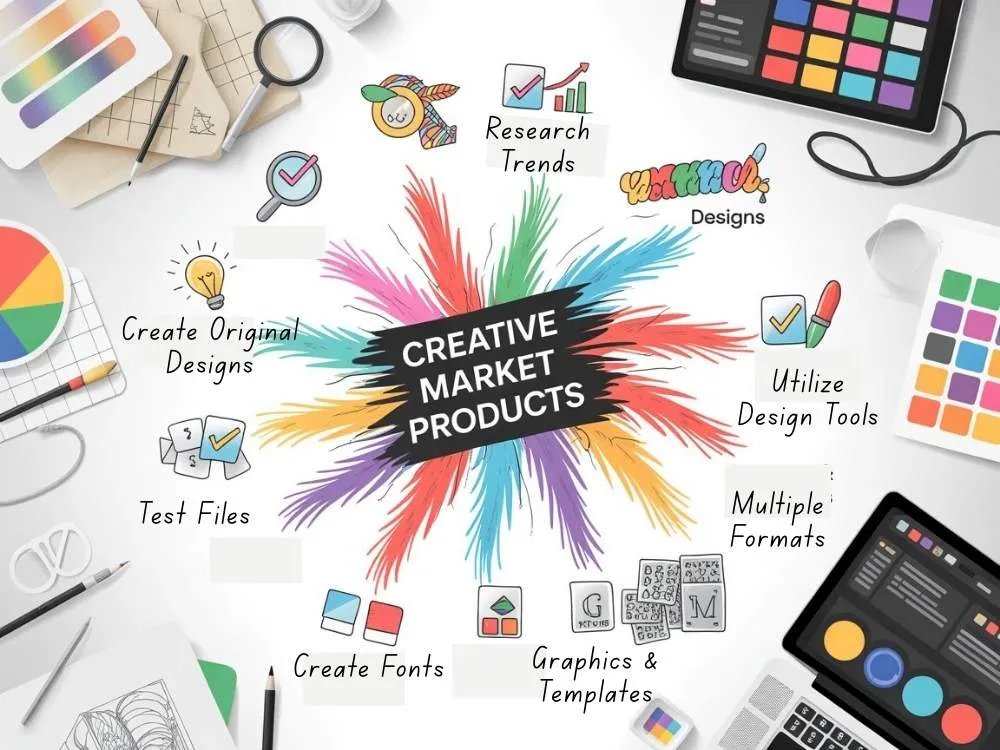
Most sellers use tools like:
- Adobe Illustrator
- Adobe Photoshop
- Figma
Use whatever tool you're comfortable with. Buyers care about the result, not the software behind it.
B) Creating High Quality Assets
Your files need to be clean and ready for real clients to use immediately.
Product development basics:
- Research what's trending in your category
- Create original designs only (no copied or traced work)
- Test all files before uploading
- Include multiple formats
- Add simple instructions or a quick readme file
- Clearly define personal vs commercial licensing
Font Creation
If you sell fonts, make sure you include:
- Uppercase and lowercase letters
- Numbers and punctuation
- Proper spacing and kerning
- Multiple weights if possible (regular, bold, light)
- Both TTF and OTF file formats
- Clear license explanation in the download
Graphics and Templates
Good products usually include:
- Layered and editable source files
- Multiple formats: AI, PSD, PNG, SVG, or EPS
- Organized, labeled layers
- Color variations or alternate versions
- Scalable vectors (not rasterized)
- Easy customization without advanced skills needed
Pro tip: Think like your buyer. If they download your file at 2am with a deadline, can they figure it out quickly? That's the standard.
Step 4: Prepare Your Product Listings
A) Product Descriptions and Keywords
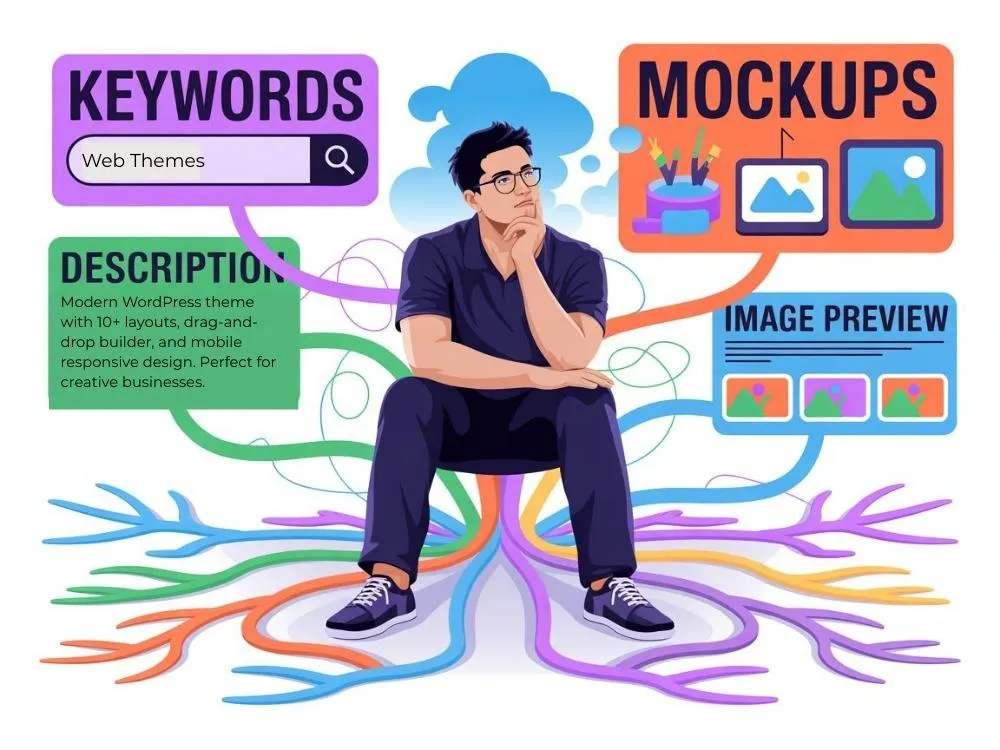
Your listing should clearly explain:
- What's included in the download
- How to use it (especially if it's technical)
- File formats provided
- Software compatibility (what programs open these files)
- License type (personal use, commercial use, or both)
- Real use cases (who needs this and why)
Use clear, simple language. Don't try to sound fancy or oversell. Just tell people what they're getting. Write for someone in a hurry. They're scanning your listing quickly. Simplify to find the info they need.
Keywords matter too. Creative Market uses them for search. Include relevant terms people actually search for like "modern sans serif font," "Instagram template bundle," "watercolor floral graphics." Don't stuff keywords, just be specific and accurate.
B) Creating Preview Images and Mockups
Your preview images sell the product. People decide in seconds whether to click or keep scrolling.
Good previews:
- Show the asset in real use (not just floating on a blank background)
- Display variations and what's included
- Highlight key features clearly
- Stay clean and uncluttered
- Make the first image eye-catching
Your thumbnail is your biggest marketing tool. It shows up in search results and category pages. If it doesn't grab attention immediately, people won't click through to read your brilliant description.
One important note: If you're using stock photos or reference images in your mockups, verify image originality first. Creative Market takes this seriously and won't hesitate to remove listings with unauthorized images.
Step 5: Set Your Pricing
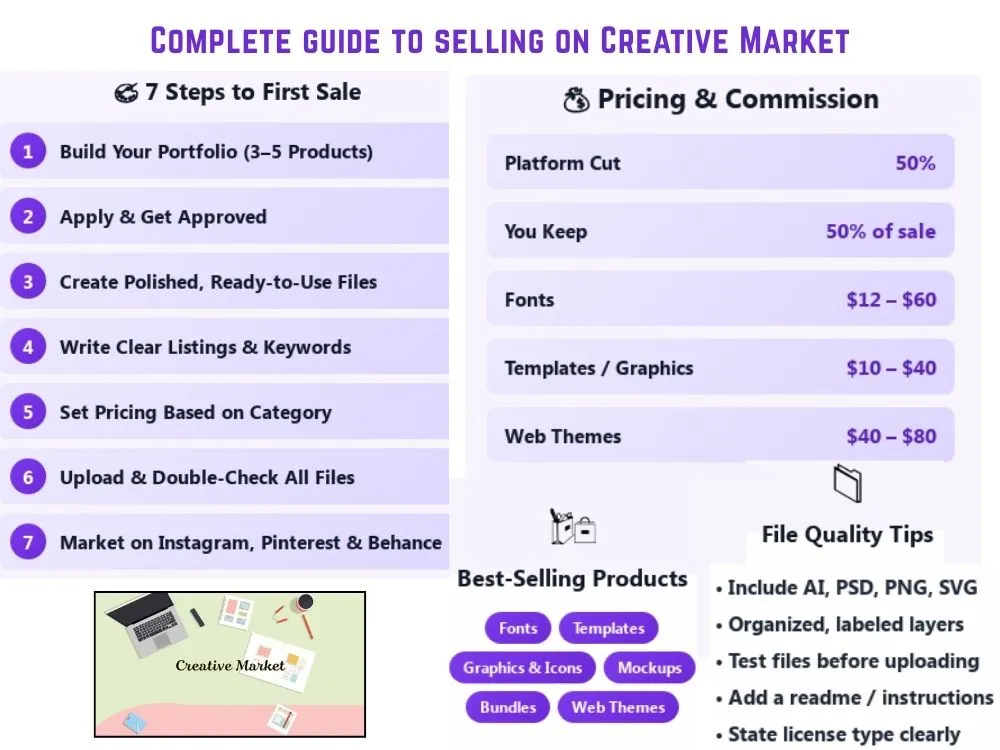
Creative Market takes 50% of each sale. You keep 50%. Factor that in when pricing. Always check similar products before you set your price. Search your category and see what's actually selling at different price points.
Typical prices:
- Simple font: $12 to $20
- Font family: $30 to $60
- Graphic bundle: $15 to $30
- Premium templates: $25 to $50
- Web themes: $40 to $80
Pricing tip: If your product saves people real time or helps them make money, charge more. Don't underprice to compete. Good buyers know quality costs something.
Start in the middle of your category's range. You can always adjust later based on sales.
Step 6: Upload and Launch Your Products
Before you hit publish:
- Double-check all files for errors
- Test the download yourself (use a test account if possible)
- Review your listing text for typos
- Confirm license terms are clear
- Make sure preview images look sharp
Be patient after publishing. It takes some days for your product to start appearing in search results. Everyone starts at zero visibility. Focus on uploading your next product instead of refreshing your sales dashboard every hour.
Step 7: Market Your Creative Market Shop
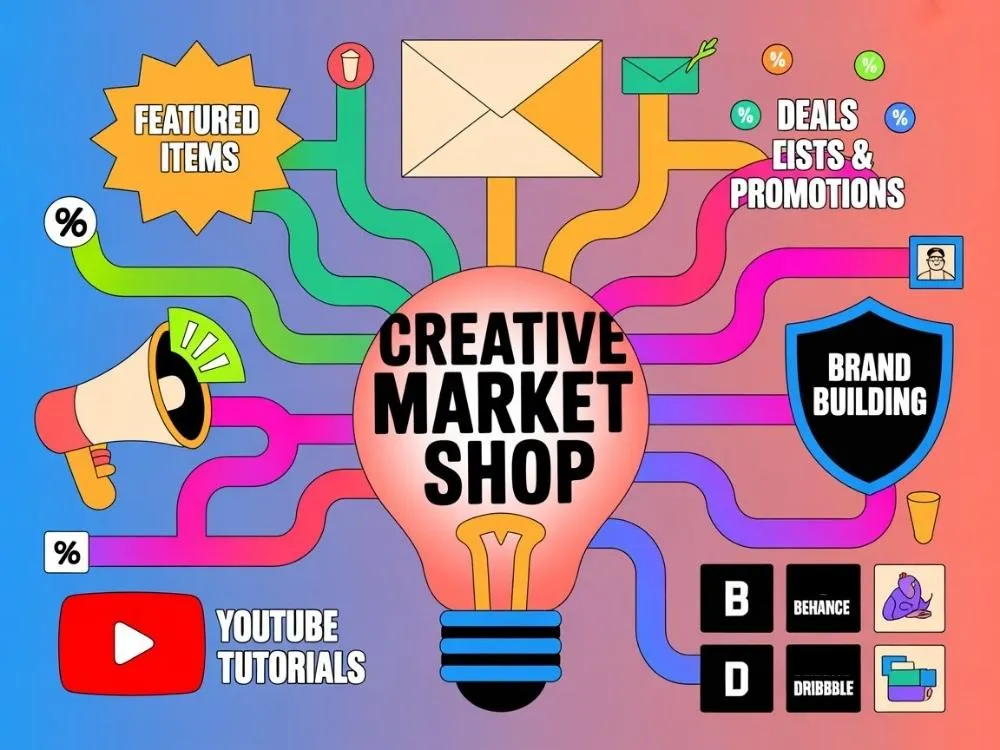
On Creative Market
The platform gives you built-in ways to get visibility:
- Submit products to weekly themes (they feature selected items)
- Offer a free item to build your email list
- Participate in Creative Market deals and promotions
- Fill out your shop profile completely (it builds trust)
Don't skip the profile. Buyers want to know there's a real person behind the shop.
External Marketing
Drive your own traffic:
- Instagram and Pinterest (These visual platforms work best for design products)
- Behance and Dribbble (where other designers hang out)
- Your own website or portfolio
- YouTube tutorials showing how to use your assets
Building a Following
- Release 1 to 2 new products per month
- Focus on quality over quantity
- Reply to customer questions quickly
- Update products based on feedback
What to Expect: Income Timeline
The sellers who make real money treat this like a business, not a side hobby. Show up regularly and your audience will grow.
Here's what most sellers roughly make.
- First 3 months, you may earn $0 to $100. Nobody knows you exist yet. You might get a lucky sale or two.
- 6 to 12 months, you get around $100 to $500 a month. You have a handful of products and people are starting to find your stuff.
- After a year, somewhere between $500 to $2,000 a month. You've built up a decent catalog and some people come back for more.
- Top sellers make $3,000 to $10,000+ a month. They have tons of products and release new things all the time.
The sellers who make money just keep showing up. That matters more than being the best designer. Some top sellers even make a good 6-figure income. These are estimates and not guaranteed results.
Creative Market vs Other Design Marketplaces
Platform Comparison
| Platform | Commission | Audience | Curation | Best for |
|---|---|---|---|---|
| Creative Market | 50% platform cut | Designers and businesses | Curated | Premium digital assets |
| Etsy | Listing + transaction fees | General buyers | Open | Creative products and small shops |
| Envato Elements | Revenue share | Agencies and creators | Curated | High volume exposure |
| Gumroad | Small transaction fee | Your own audience | Open | Selling directly to followers |
| Design Cuts | Revenue share | Designers | Curated | Bundles and promotions |
Creative Market sits somewhere in the middle. You get access to serious buyers who actually spend money on design assets, but you're not lost in a giant marketplace like Envato. It's curated enough to maintain quality but not so exclusive that you can't get in.
If you already have a big audience, Gumroad makes more sense. If you want maximum exposure and don't mind lower per-sale earnings, try Envato. But for most independent designers just starting out, Creative Market offers the best balance.
Common Creative Market Mistakes to Avoid
Here are some mistakes many sellers make over and over:
- Uploading low-quality products before they're ready
- Copying trends or straight-up mimicking other designers
- Messy file packages with no organization
- Unclear or confusing license terms
- Weak mockups that don't show the product well
- No instructions included in the download
- Inconsistent branding across products
- Overpricing without checking what similar items sell for
- Never marketing outside Creative Market
- Giving up after two slow months
Avoid these mistakes for a better selling experience. Your first products will probably be rough. It's common for many. Just keep getting better with each one you release.
Wrapping Up
Selling on Creative Market isn't about quick wins. It's about building a small digital product library that keeps working for you over time. This marketplace can be a solid and good income stream for the creative work you already enjoy doing.
FAQs
Q1: How long does Creative Market approval take?
They may take 1 to 4 weeks. Sometimes faster and sometimes longer. It depends on how many applications they're reviewing.
Q2: Can I sell the same products on other platforms like Etsy or Gumroad?
Yes. Creative Market doesn't require exclusivity. You can list your stuff on other platforms like Etsy, Gumroad, or your own website too.
Q3: Do I need a business license to sell?
Depends on your location. Check your local laws. You'll need tax info for payouts regardless.
Explore Related Posts
https://smarttoolsai.com/post/how-to-start-a-graphic-design-business
https://smarttoolsai.com/post/create-and-sell-online-courses
https://smarttoolsai.com/post/how-to-start-selling-on-teachers-pay-teachers