How to Start Selling on Teachers Pay Teachers
.webp)
Have you ever created a worksheet or lesson plan that actually worked for other people? You already have something worth selling that could earn you extra income.
I still remember the first time I heard about Teachers Pay Teachers (TPT). I honestly thought, Wait… teachers sell to other teachers? Yep. And it works really well.
This guide shows you exactly how to start selling on TPT, even if you've never sold anything on this platform before. No hype. No shortcuts. Just the real way most successful TPT sellers start.
Key Takeaways
- Learn what TPT is and who can actually sell there.
- Find out what products sell best and how to price them right from day one.
- Get a step-by-step plan from account setup to uploading your first resource.
- Discover how to find product ideas that teachers are already buying.
- Avoid common mistakes that tank your sales or get your account flagged.
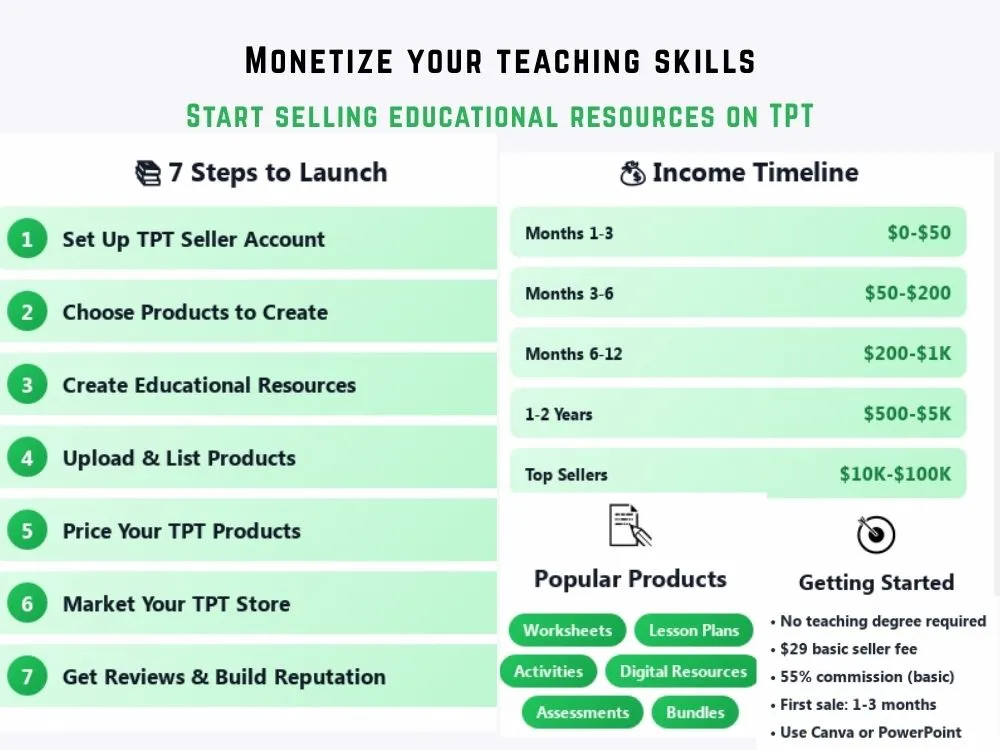
Important Note: The income potential and timeline in the above image are estimates based on research data. It doesn't guarantee that you'd get similar results. Your real earnings may vary based on your skills, selling strategies, and other vital factors.
What is Teachers Pay Teachers and Who Can Sell on It?
As the name implies, TPT is basically an online store where teachers sell stuff to other teachers. Think worksheets, lesson plans, activities, anything that helps in the classroom. However, it's not a must to be a teacher to start.
You can sell if you're:
- A current or former teacher
- A homeschool parent
- A tutor
- A curriculum creator
- An education student
If you know what actually works in a classroom, you can do this. TPT isn't looking for perfect credentials. It's looking for useful resources that make teachers' lives easier.
Types of Products You Can Sell on TPT
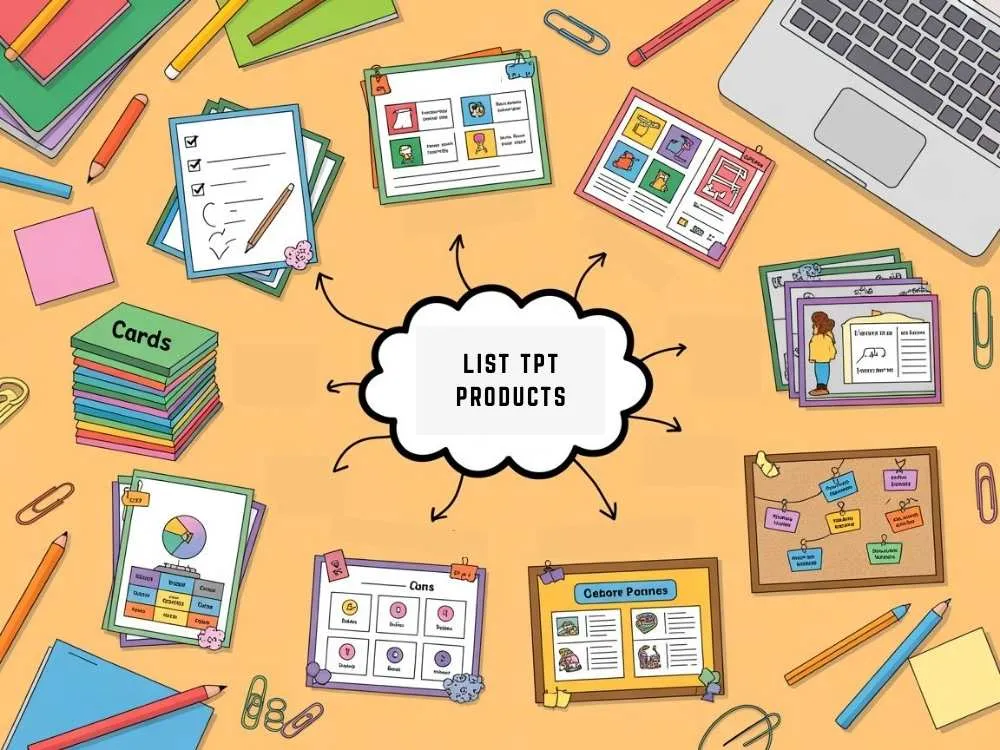
There's a huge range of products you can create. Some are quick to make. Some take more experience. Here's what most sellers focus on.
TPT Product Types with Examples and Difficulty Level
| Product Type | Examples | Difficulty | Typical Price Range |
|---|---|---|---|
| Worksheets | Math practice, reading comprehension, grammar sheets | Easy | $1-$4 |
| Lesson plans | Full lesson outlines, unit plans, sub plans | Medium | $3-$8 |
| Activities | Centers, games, task cards, exit tickets | Medium | $3-$6 |
| Digital resources | Google Slides activities, digital notebooks, interactive PDFs | Medium | $3-$7 |
| Classroom decor | Posters, labels, bulletin boards, calendars | Easy | $2-$5 |
| Assessments | Quizzes, tests, rubrics, progress trackers | Medium to Hard | $3-$6 |
| Full units | Complete themed units with multiple resources | Hard | $8-$20+ |
| Bundles | Multiple related products packaged together | Medium | $10-$30+ |
Worksheets and small activities are much easier for beginners to create and upload. You can always expand into other products once you really understand what sells.
Step 1: Set Up Your TPT Seller Account
Creating your seller account takes about five minutes. Head to teacherspayteachers.com, sign up for a free account, then upgrade to a seller account through your profile settings.
During setup, you'll:
- Choose a store name
- Write a short bio or profile description
- Upload a profile image or logo (optional but recommended)
Don't stress about your store name. You can always change your branding later. What actually matters in the beginning is getting your first product published.
A quick note: TPT basically takes a commission on each sale (around 45% for basic sellers or 20% if you upgrade to a premium seller account).
Step 2: Choose What Products to Create
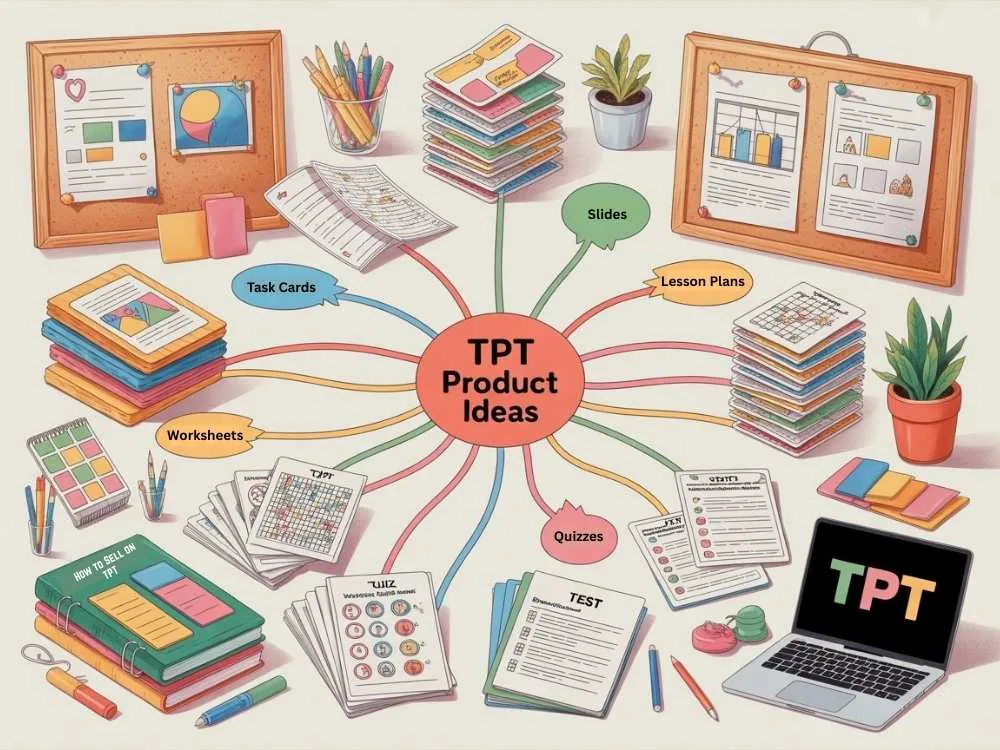
A) Finding Product Ideas
The best ideas come from real classroom problems you've seen or experienced.
Ask yourself:
- What do students struggle with most?
- What takes teachers forever to prep?
- What have I already made for my own classroom that worked?
You can also browse TPT and search for your subject and grade level. Look at the top-selling resources and notice:
- What topics keep showing up
- What formats are popular (worksheets, slides, task cards, etc.)
- Where the quality looks weak or confusing
B) Validating Demand
Before you build a big product, check if people are already buying similar resources. Search your idea on TPT and look at:
- The number of reviews
- How many similar products appear
- Pricing patterns
Some competition is a good sign. It means teachers are actively buying those resources. No competition might mean no demand.
Step 3. Create Your Educational Resources
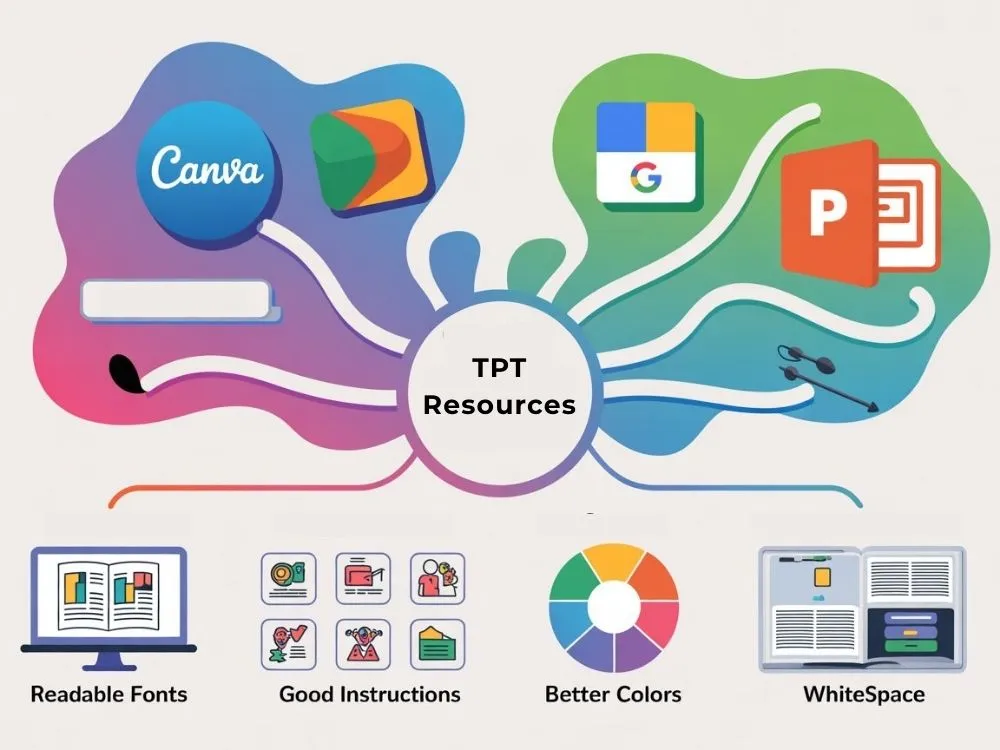
A) Tools and Software
You don’t need expensive tools to start. Many sellers use:
- Canva
- Microsoft PowerPoint
- Google Slides
Canva works well for beginners. PowerPoint and Google Slides give you more control over editable or interactive activities. With this, you can use our free text analysis tools for some formatting needs.
B) Design and Formatting Best Practices
Simple always wins on TPT. Focus on:
- Clean, readable fonts. Avoid script or overly decorative fonts
- Clear, step-by-step instructions
- Consistent colors throughout
- Plenty of white space (don't cram everything together)
Every resource should include:
- A cover page with the title and your store name
- Teacher directions or a "how to use this" page
- Student-facing pages
- Answer keys (when applicable)
Test your resource by opening it as a student would. Small mistakes can hurt your reviews. If you want help improving visuals, check our graphic design guide for beginner-friendly tips.
Step 4. Upload and List Your Products
A) Writing Product Titles and Descriptions
Your title needs to tell teachers exactly what they're getting. Include:
- subject
- grade level
- main skill
Good example: 5th Grade Fractions Word Problems Worksheets
Bad example: Math Fun Pack (too vague)
In your description, answer these questions:
- What's included? (number of pages, formats, etc.)
- What skill does it teach or practice?
- How do teachers use it? (independent work, centers, homework, etc.)
- What makes it helpful or different?
Short bullet lists work very well here.
B) TPT SEO and Keywords
TPT search works a lot like Google. Use keywords in:
- your title
- your description
- your product categories
Think like a teacher searching like "3rd grade reading comprehension passages" or "phonics worksheets kindergarten."
Step 5. Price Your TPT Products
Pricing can be confusing at first. But there's a simple strategy. Check what's already selling well on TPT. Search similar products to yours and check what top sellers are charging. Then price yours slightly lower or directly competitive
General pricing guidelines:
- Single worksheets: $1-$3
- Small activity packs (3-5 pages): $2-$4
- Lesson plans or larger activities: $3-$7
- Full units or bundles: $8-$20+
Don't underprice just to get sales. Teachers associate low prices with low quality. A $1 worksheet can sell just as well at $2 or $3 if it's good.
TPT vs Etsy. Which Platform is Better for Educational Sellers?
Many sellers ask if they should sell on TPT or on Etsy. Here is the honest comparison.
TPT vs Etsy Comparison for Teachers
| Feature | Teachers Pay Teachers | Etsy |
|---|---|---|
| Main audience | Teachers and educators | General public |
| Built-in traffic | Yes | Yes |
| Competition for teaching resources | Lower | Higher |
| Platform focus | Education only | All digital and physical products |
| Listing style | Resource-focused | Shop and branding-focused |
| Fees | 45% (basic) or 20% (premium seller) | Listing fees + transaction fees |
| Best for beginners | Yes | Medium |
Bottom line: If you're selling teaching resources, TPT is the better starting point. Teachers go there specifically to buy classroom materials. On Etsy, you're competing with every type of digital product.
Income Expectations
Let's be honest about what most sellers make when they're consistent.
- $0 to $50 in months 1-3
- $50 to $200 in months 3-6
- $200 to $1,000+ in months 6-12
- Established sellers (1-2 years) can make $500 to $5,000+ per month
- Top sellers have high potential like $10k+ per month
Those big numbers are rare, and usually take years of work and a catalog of 100+ quality products. Most sellers treat TPT as a side income, not a full-time replacement right away.
Step 6. Market Your TPT Store
You don’t need complicated marketing in the beginning. Start with:
- Pinterest pins for your products
- a simple Instagram or Facebook page
- classroom or teacher communities
Your product listings and previews do most of the selling. You can also build an email list later if you plan to grow seriously. If you want to build more advanced digital product strategies, check our digital products guide for long term growth ideas.
Step 7. Get Reviews and Build Your Reputation

Reviews are everything on TPT. Products with more positive reviews sell way better than identical products with fewer reviews.
How to encourage honest reviews:
- Make useful resources. If your product actually helps teachers, they'll leave reviews.
- Add a thank you page at the end, asking for feedback if they found it helpful.
- Offer a freebie. Free products get more downloads, which means more people see your work and leave reviews.
- Respond to issues fast. If someone has a problem, fix it quickly. Buyers often update negative reviews when you're helpful.
Don’t ask for fake reviews. TPT can suspend accounts for that. Strong reviews build trust faster than any marketing trick.
Common TPT Mistakes to Avoid
Here are mistakes I see new sellers make all the time, which you should avoid.
- Uploading messy or poorly formatted resources. Broken formatting shows up immediately and impacts sales.
- Using copyrighted clipart or fonts without proper licenses. TPT can remove your products or ban your account for this. Use a reverse image search tool to verify image sources and avoid copyright issues before uploading.
- Writing vague product descriptions. "Fun math activities" tells teachers nothing. Be specific about what's included.
- Creating huge products before testing small ones. Start with worksheets or single activities. See what sells before spending hours on a full unit.
- Ignoring buyer feedback. If multiple people mention the same issue, fix it.
- Copying other sellers' styles or ideas. Teachers notice. Build your own brand and voice.
One well-made resource that solves a real problem is worth more than ten rushed products. Quality always wins.
Wrapping Up
TPT is one of the best places to start selling digital education resources. Start small and grind consistently where you can improve with every upload. If you enjoy helping teachers and creating useful materials, TPT can definitely help and grow into a reliable long-term income.
FAQs
Q1: Do I need to be a teacher to sell on TPT?
Nope. Homeschool parents, tutors, and anyone who gets what teachers actually need can sell there.
Q2: How much does it cost to start?
You pay $29 one time fee to become a basic seller and keep 55% of each sale. Or you can go premium for $59.95 a year and keep 80% of what you sell on their platform.
Q3: How long until I make my first sale?
It really depends on how many products you upload and how well they match what teachers are searching for. Most people make their first sale within 1-3 months.
Explore Related Posts
https://smarttoolsai.com/post/how-to-start-a-virtual-assistant-business
https://smarttoolsai.com/post/create-and-sell-online-courses
https://smarttoolsai.com/post/how-to-start-affiliate-marketing-and-make-money