How to Start an Amazon FBA Business
.webp)
What if you could turn a simple product idea into a real income stream? This is what Amazon FBA does. Starting this business might be easier than you think. Many regular people do this business without worrying about managing inventory or handling shipping.
The good thing is Amazon does the heavy lifting while you focus on finding the right products and growing your brand. If you're looking for a side hustle or want to go full-time, FBA offers a proven way to make money online.
The best part? You don't need a business degree or a massive budget to get started. Let me walk you through exactly how to launch your own Amazon FBA business.
Key Takeaways
- Learn exactly how Amazon FBA works and whether it's the right fit for you.
- Find out how much it actually costs to start and what to expect in the beginning.
- Know the best ways to pick and source products that actually sell.
- Understand all the fees so you don't end up losing money without realizing it.
- Avoid the common mistakes that most new FBA sellers make early on.
What is Amazon FBA and How Does It Work?
FBA is short for Fulfillment by Amazon. You send your products to Amazon's warehouses and they handle everything like packing, shipping, returns, and dealing with customers.
The process is pretty straightforward:
- You find and buy products.
- You send them to an Amazon fulfillment center.
- A customer places an order.
- Amazon ships the product.
- Amazon handles customer service and returns.
Your job is to pick the right products, create good listings, do marketing, and keep track of inventory. That's it. This hands-off approach is exactly why so many people choose FBA over handling fulfillment themselves.
FBA vs Dropshipping vs Other Amazon Selling Methods
Before jumping into FBA, know the different ways you can sell on Amazon.
- Fulfillment by Amazon (FBA): You buy inventory and send it to Amazon. They store it and ship orders for you. You pay storage and fulfillment fees.
- Fulfillment by Merchant (FBM): You store products yourself and ship orders directly to customers. You manage all aspects of your business, including product packaging and handling customer inquiries.
- Amazon Dropshipping: You display products on Amazon and send customer orders to a supplier who completes the delivery process. You must follow Amazon’s strict dropshipping rules here.
Amazon Selling Methods Comparison
| Feature | FBA | FBM | Dropshipping |
|---|---|---|---|
| Inventory ownership | Yes | Yes | No |
| Storage | Amazon warehouses | Your own space | Supplier |
| Shipping | Amazon handles | You handle | Supplier |
| Customer service | Amazon handles | You handle | You handle |
| Startup cost | Medium to high | Low to medium | Low |
| Control over branding | Limited | Limited | Very limited |
| Policy risk | Medium | Medium | High |
FBA offers the best balance for most beginners who want a scalable business.
Is Amazon FBA Worth It? Realistic Expectations
Amazon FBA can work well, but it's not fast money. Here are things that you should know:
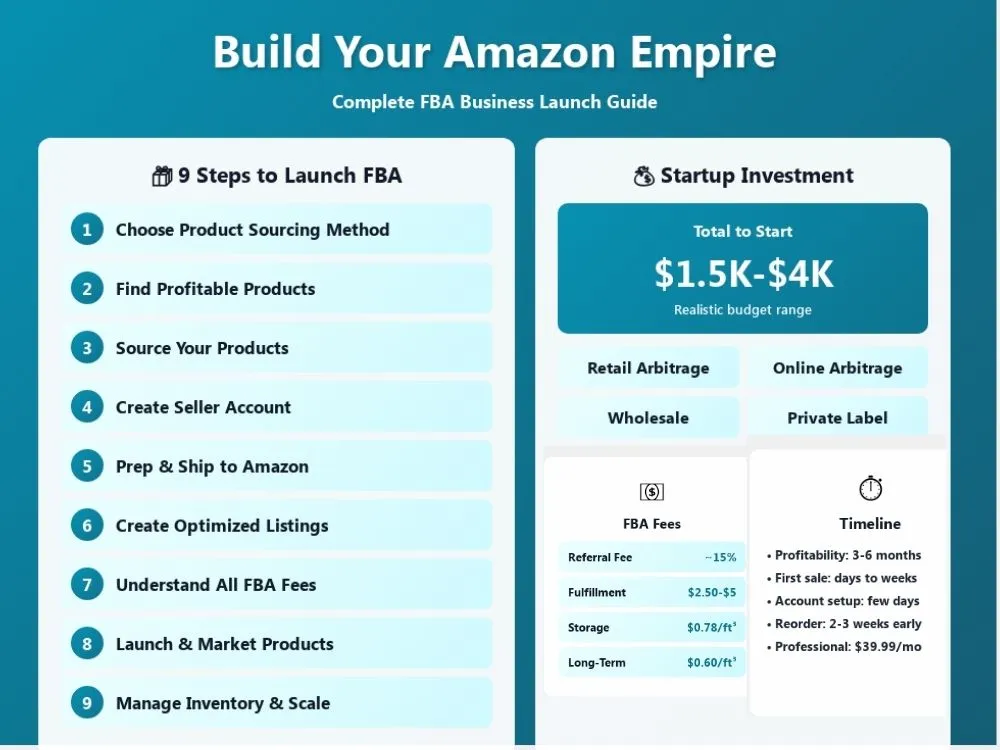
A) Startup Costs Breakdown
- The Amazon professional account costs you around $39.99 per month.
- Initial inventory is something around $500 to $2,000.
- Product samples are $50 to $150.
- Branding and packaging include $100 to $300.
- Product photography may cost you $50 to $200.
- Launch ads is $200 to $1000.
Most beginners should expect to invest between $1,500 to $4,000.
B) Time to Profitability
Most new sellers take three to six months before seeing steady profits. Some take longer. Product testing and ranking take time so patience is important.
C) Who Should and Should Not Start FBA
FBA is good for you if you:
- Have startup capital.
- Are willing to learn Amazon rules.
- Can handle data and numbers.
- Want to build a long-term business.
FBA isn't ideal if you:
- Need quick income.
- Have no budget for inventory.
- Can't deal with occasional customer or supplier issues.
Step 1: Choose Your Product Sourcing Method
There are actually four main ways to source products for Amazon.
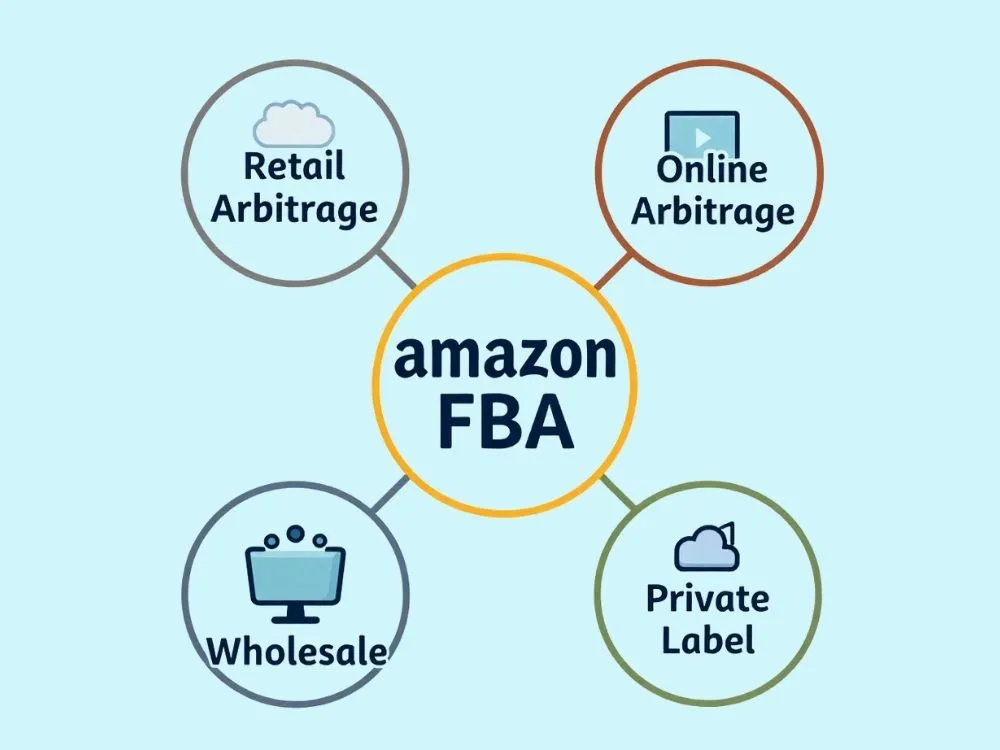
A) Retail Arbitrage: You buy products from local stores and resell them on Amazon. This is easy to start and good for learning, but it doesn't scale well.
B) Online Arbitrage: This is similar to retail arbitrage. Anyhow, you buy discounted products from online stores like Walmart.com or Target.com. You can simply do everything from your computer, which makes it more convenient.
C) Wholesale: This means you buy branded products in bulk from authorized distributors. Even though the margins are smaller, the sales can be more stable.
D) Private Label: You make your own branded product and have a manufacturer produce it. This has higher long-term potential but needs more work and upfront money.
Which Method is Best for Beginners?
- Retail and online arbitrage are best for learning.
- Private label is best for building a brand.
- Wholesale sits in the middle.
Step 2: Find Profitable Products to Sell
A) Product Research Criteria
Look for products that:
- Sell consistently all year.
- Have simple designs and low defect risk.
- Are small and lightweight.
- Have room for improvement in existing listings.
- Can sell between $20 and $50.
- Have competition but not too much. Aim for categories where top sellers have less than 100 reviews.
Avoid products with safety risks or complex electronics.
B) Product Research Tools
You can use:
- Amazon Best Sellers
- Helium 10
- Jungle Scout
- Google Trends
- Amazon search suggestions
Always cross-check demand and competition before picking a product.
Step 3: Source Your Products

A) Finding Suppliers
Most private label sellers use Alibaba or direct manufacturers. Wholesale sellers contact authorized distributors. When choosing a supplier you must check their certifications and how well they communicate. Reading reviews from other buyers also helps avoid bad suppliers early on.
B) Ordering Samples and Negotiating
Always order samples before placing a large order. This saves you from wasting money on poor-quality products.
Ask about:
- Production time
- Minimum order quantity (MOQ)
- Quality control
- Packaging options
- Logo placement
- Payment terms
Also consider shipping costs from the supplier to Amazon's fulfillment center. This is something a lot of beginners forget about and it can eat into your margins. Don't rush your first order.
Step 4: Create Your Amazon Seller Account
You can register at sellercentral.amazon.com.
You will need:
- Government ID
- Bank account
- Credit card
- Business details
- A unique email address not linked to an existing Amazon buyer account
Individual vs Professional Plan
Amazon offers two selling plans:
- Individual plan costs $0.99 per order. This plan works if you are just testing the waters.
- Professional plan costs $39.99 per month. Best for selling more than 40 items a month.
The Professional plan is ideal if you plan to sell regularly. It also gives you access to tools like bulk listings and advertising, which you will need later.
One thing to keep in mind that Amazon's verification process can take a few days to a couple of weeks. So make sure all your documents are clear and correct to avoid delays.
Step 5: Prepare and Ship Products to Amazon
A) Product Preparation Requirements
Amazon requires:
- FNSKU barcodes on every unit.
- Proper packaging to prevent damage during storage.
- Poly bag and labeling rules for certain product types.
- Safety and compliance documents when needed.
- Proper bundling if you are selling multipacks.
Always follow Amazon’s prep guidelines. If not, they'll hold or dispose of your inventory, which costs you money.
B) Third Party Prep Services
If preparing products yourself sounds like a lot, you can hire a third-party prep service. They handle everything from labeling to packaging and ship directly to Amazon's fulfillment center. This usually costs around $0.50 to $1.50 per unit depending on the work involved.
C) Creating Your First Shipment
Inside Seller Central, you'll create a shipping plan, print your labels, and pick a carrier. Then you send everything to the fulfillment center Amazon assigns. They check and receive your inventory before it goes live.
Also, Amazon might send your products to different fulfillment centers. So be ready for that.
Step 6: Create Optimized Product Listings
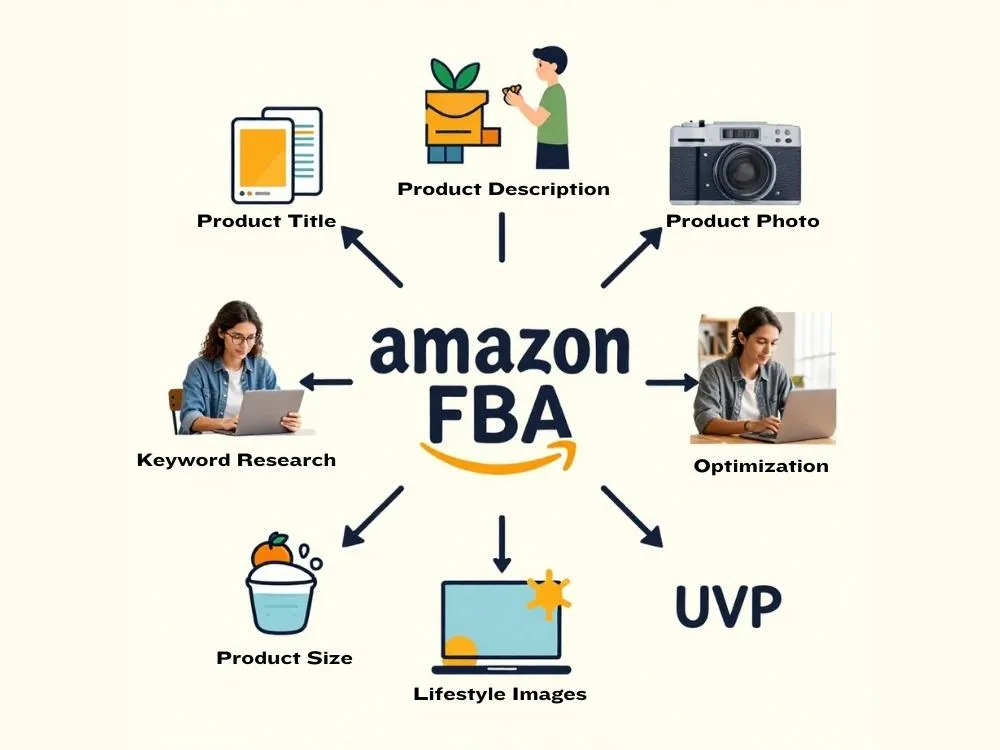
A) Product Title and Description
- Use clear keywords in your title that people actually search for.
- Focus on benefits in your bullet points, not just features.
- Explain how your product solves a problem.
- Avoid keyword stuffing because Amazon and customers both don't like it.
- Write a good backend keywords section. This is where you put extra keywords.
B) Product Photography
Use high-quality images:
- White background main image where Amazon requires this.
- Lifestyle images showing the product in use.
- Feature callouts.
- Image size and usage visuals.
- A comparison image showing your product against competitors.
Good photos directly improve conversions. In fact, images are one of the biggest reasons customers click on a listing over others.
Step 7: Understand Amazon FBA Fees
Amazon charges several types of fees. Knowing them before you start is really important, otherwise you might end up selling products without actually making money.
- Referral Fee: This is basically Amazon's cut on every sale. It's around 15%, but some product categories are as low as 8%. So it depends on what you're selling.
- Fulfillment Fee: This is what Amazon charges for fulfillment, which means picking, packing, and shipping your order. For standard size items, expect to pay somewhere between $2.50 to $5. It depends on the size and weight of your product.
- Storage Fee: This is what you pay for keeping your products in Amazon's warehouse. It's $0.78 per cubic foot from January to September. But during the holiday season (October to December), it goes up to $2.40. So try not to hold too much inventory during that time.
- Long Term Storage Fee: If your products sit in the warehouse for more than 365 days, Amazon charges an extra $0.60 per cubic foot per month. A lot of beginners don't know about this one, so just keep your inventory moving.
FBA Fee Breakdown with Profit Example
| Item | Amount |
|---|---|
| Selling price | $30.00 |
| Product cost | $7.00 |
| Shipping to Amazon | $1.50 |
| Referral fee (15%) | $4.50 |
| FBA fulfillment fee | $5.35 |
| Monthly storage fee | $0.78 per cubic foot |
| Net profit | $11.65 (before storage) |
Always calculate your fees before picking a product. Amazon actually has a free tool called the FBA Revenue Calculator in Seller Central. It does the math for you, so use it. For more needs, you can utilize our online calculators.
Step 8: Launch and Market Your Products
Many sellers use Amazon PPC ads to launch their products. This is so far one of the best ways to get your first sales and start building momentum.
Start with:
- Automatic campaigns: Amazon picks the keywords for you. Good for the beginning when you don't know which keywords work best.
- Manual keyword campaigns: You pick the keywords yourself. Use this once you have some data from automatic campaigns.
- Small daily budgets: Start with a normal budget like $10-$20 a day. This avoids wasting money until you figure things out.
Getting Your First Reviews
Reviews are huge on Amazon. Customers read them before making their buying decisions. So having them early makes a big difference.
- Utilize Amazon's Request a Review button in Seller Central. This is the only approved way to ask for reviews.
- Don't offer free products or incentives for reviews. Amazon will ban your account for that.
- Some sellers also use email follow-up sequences through approved tools like Jungle Scout or Helium 10.
What to Monitor
You have to keep an eye on:
- Conversion rate that shows how many people actually buy after visiting your listing.
- ACoS (Advertising Cost of Sale) means how much you spend on ads compared to how much you make.
- Click-through rate shows how many people click on your listing from search results.
Setting up and forgetting ads won’t work. Check your numbers daily, especially during the first two weeks of launch.
Step 9: Manage Inventory and Scale
Tracking your stock levels is really important. If you run out of stock, Amazon drops your ranking and it takes time to get it back. So reorder before that happens.
A) Inventory Management
- Managing inventory is vital. Check stock levels every week.
- Reorder at least 2-3 weeks before you run out.
- Track how fast your products are selling. This helps you predict when to reorder.
B) When You Find a Winning Product
Once you have a product that sells well, don't just leave it. Improve it:
- Upgrade your packaging to stand out.
- Add variations like different sizes or colors.
- Improve your images and listing copy based on customer feedback.
- Test higher ad budgets slowly, not all at once.
C) When to Add New Products
A lot of beginners rush to add new products too early. Wait until your first product is stable and profitable before moving on.
A good sign to start looking for a new product is when your first product is consistently making profits for at least two to three months. Scaling comes from consistency, not rushing.
Common Amazon FBA Mistakes to Avoid
A lot of beginners jump into FBA and just pick products they think will sell. TBH, that's not the way it works. You need proper research and data behind every decision. Avoid these common mistakes:
- Choosing products based on hype instead of data analysis.
- Ignoring Amazon's policies and rules.
- Ordering too much inventory too early.
- Skipping quality checks on your products.
- Having weak listings with poor photos.
- Underestimating Amazon fees when pricing.
- Not tracking your numbers and profits.
Wrapping Up
Building an FBA business takes time and that's totally okay. Don't rush the process and stay consistent. Pick the right products and learn from your mistakes. If you stick with it, Amazon FBA can become a solid income stream for you in the long run.
FAQs
Q1: How much do I need to start Amazon FBA?
Most beginners start with $1k to $3k. Some manage with less if they start with retail arbitrage. It really depends on the method you choose and the products you go for.
Q2: Can I start Amazon FBA with no experience?
Yes you can. Many sellers learn as they go. Nobody knows everything on day one. Just start small and test things out. Then you can adjust based on what works.
Q3: How long does it take to make my first sale?
It depends. Some people get sales within the first week, especially if they run ads. Some sellers take a bit longer. Your product and listing optimization also determine the time.
Explore Related Posts
https://smarttoolsai.com/post/how-to-start-an-etsy-shop
https://smarttoolsai.com/post/how-to-start-a-print-on-demand-business